The AI operating system for solar farm construction.
FieldSpine puts the plan, crews, inspections and progress of your solar farm build in one system. Its AI assistant, Marta, talks to your crews in their language, asks for missing reports and passes problems to the site manager.
For solar farm contractors and EPCs
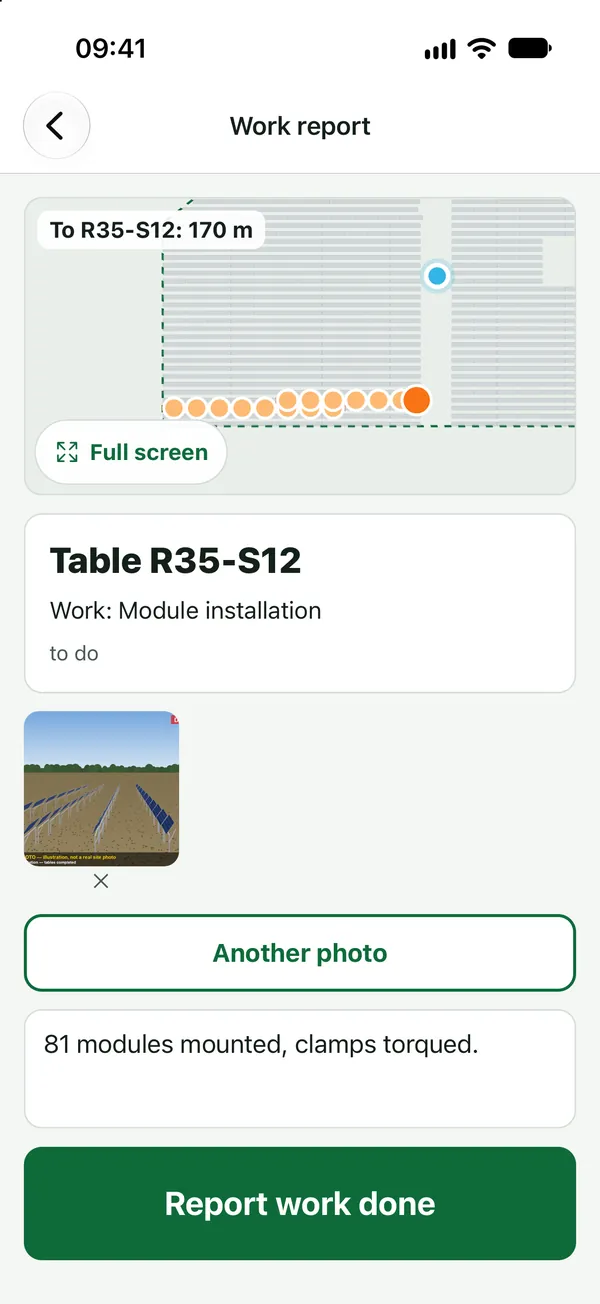
Product screenshots · sample data from a demo project
- PLRUUKENFRESROIT for crews
- Works with no signal
- Up to 10,000 tables per project
- Database in the EU
Your site is moving, but you can’t say which tables are finished.
- 01
Reports get lost in a WhatsApp group, the photos are on five different phones and the plan sits in the site manager’s spreadsheet.
- 02
The client disputes an inspection and asks who built table R24-S08, when and how. You have nothing to show them.
- 03
Nobody schedules the rework after an inspection, so the crew gets to it weeks later.
- 04
Your crews come from three countries and speak three languages, and half the farm has no signal.
- 05
Trenches and cables sit in a different spreadsheet from the tables, if anyone tracks them at all.
When you can’t show who built a table and who inspected it, your client can hold back payment for it.
Six roles on one set of site data.
The EPC’s board and the installer at the table work on the same facts. Each role has its own view of them.
EPC / general contractor
Accepted progress from each contractor, table-by-table acceptance, statements and a weekly investor report.
Learn moreContractors
Get paid for what you built: table history, QC, hours, HSE, and work with your EPC while your people and rates stay private.
Learn moreSite manager
Plan the day in minutes, see who is at work and where, and get blockers as soon as they are reported.
Learn moreQuality inspector
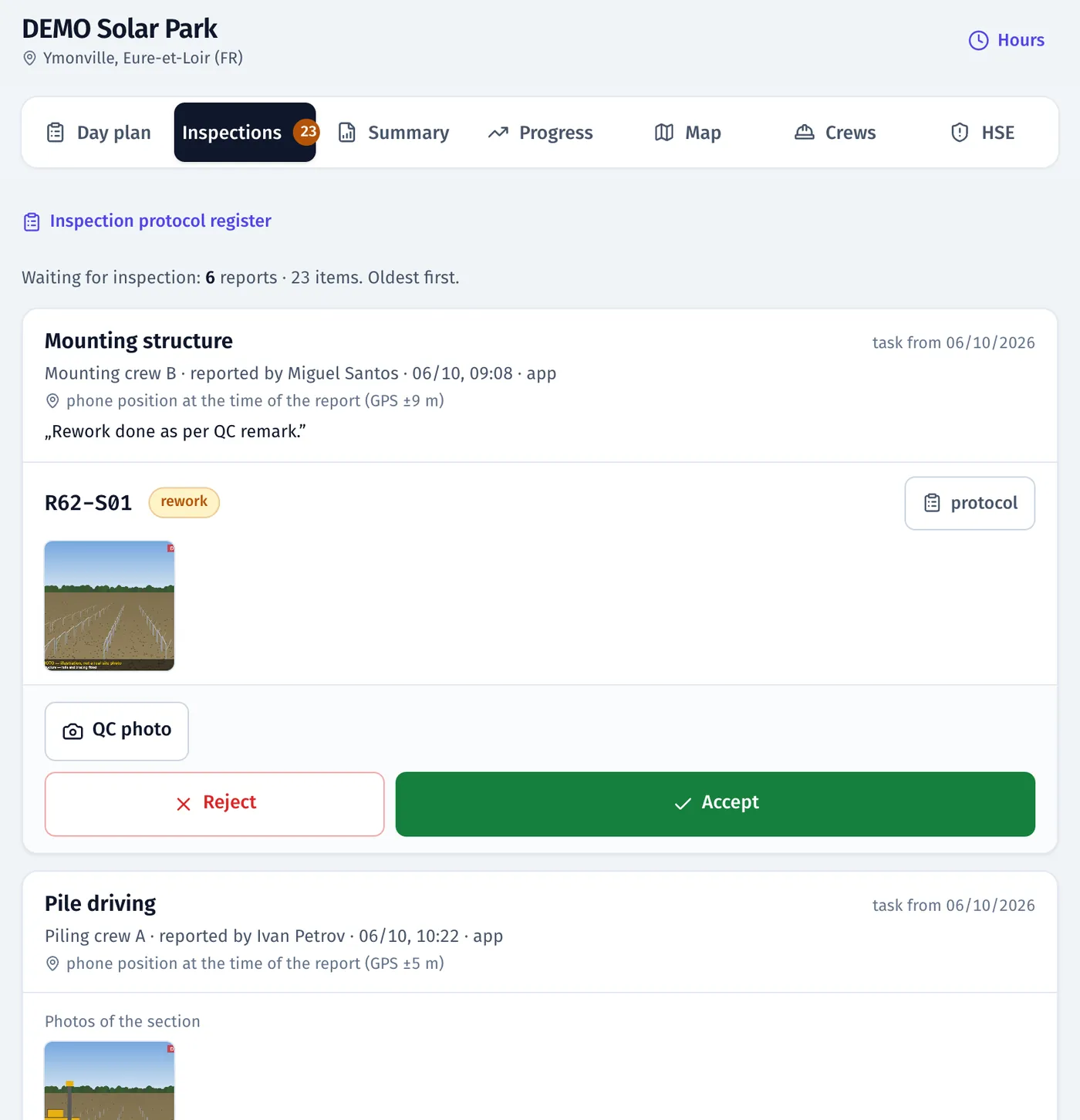
An inspection queue with photos and GPS, decisions from the phone, numbered protocols and a register the client can audit.
Learn moreHSE
Incidents and near misses from the phone, corrective actions, TF/TG rates, briefings and a live list of who is on site.
Learn moreField crews
Today’s plan on the phone, the map to the table and reporting with one photo, in five languages and with no signal.
Learn more
Three steps from the surveyor’s file to accepted work.
- 01
You load the site map and the schedule.
Take the surveyor’s file (KML, DXF, CSV or GeoJSON) with tables, trenches and devices, and your plan from MS Project, Primavera P6 or Excel. If you have no plan, FieldSpine generates one from your crews and norms.
- 02
Crews get the app.
They download it from the App Store or Google Play and sign in with an activation code, without an email or password. The app runs in Polish, Russian, Ukrainian, English and French and works with no signal.
- 03
Your people record the work.
Installers report tables with a photo. Inspectors accept them or reject them with a reason, FieldSpine adds the rework to the plan, and the EPC accepts what was built.
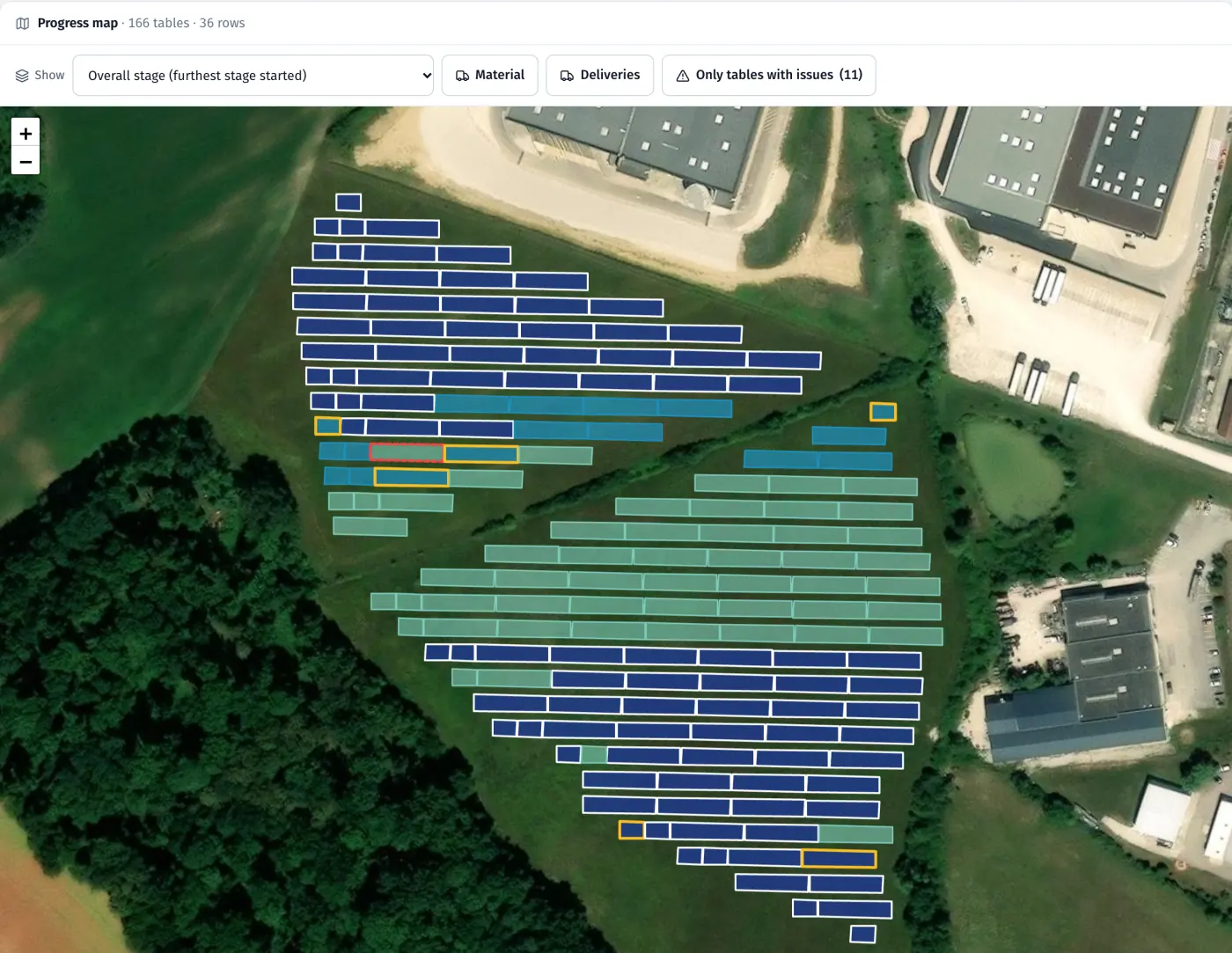
Product screenshots · sample data from a demo project
From the morning plan to a signed protocol.
Morning the plan
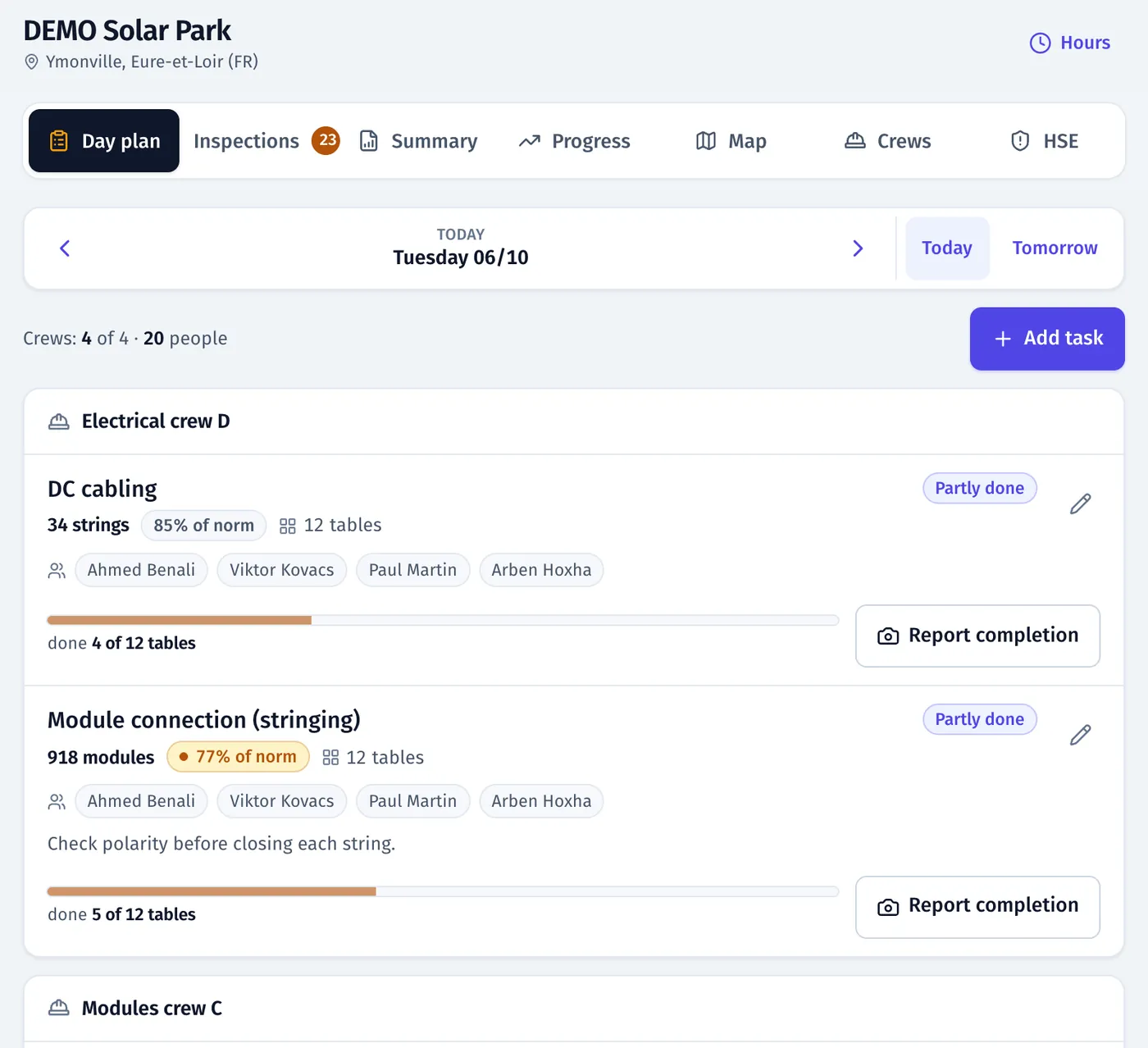
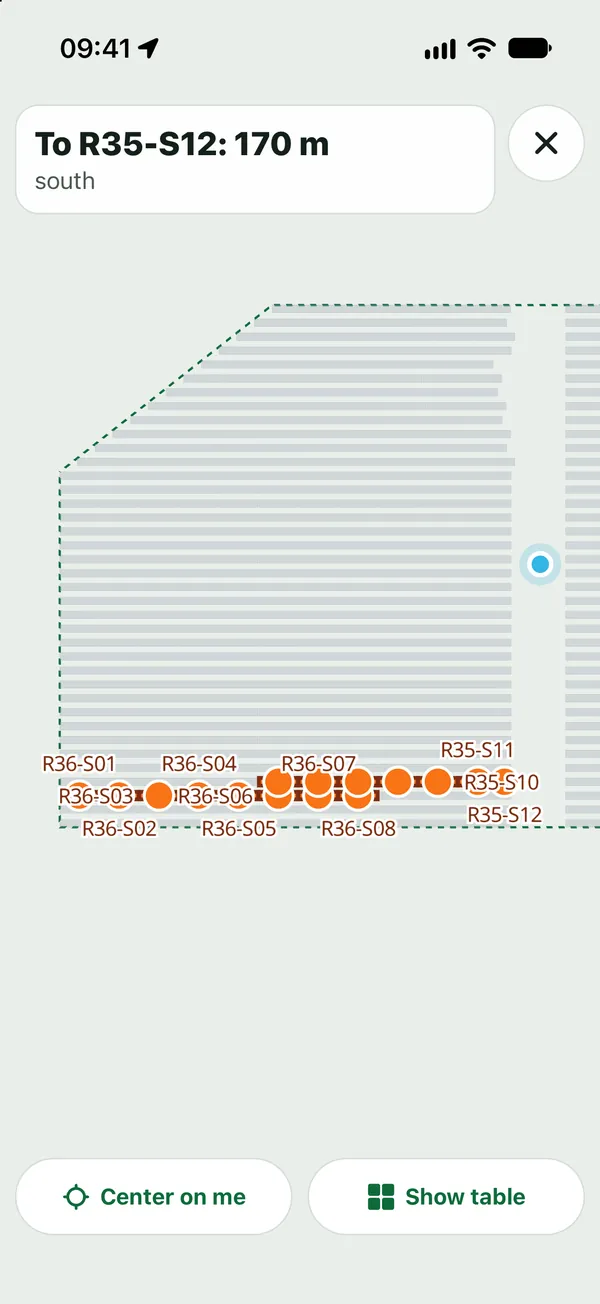
The site manager assigns crews, work and places on the map, using suggestions from the schedule. The map offers only places where the earlier stage is done. Each crew member gets a notification and finds the task on their phone.
During the day the work
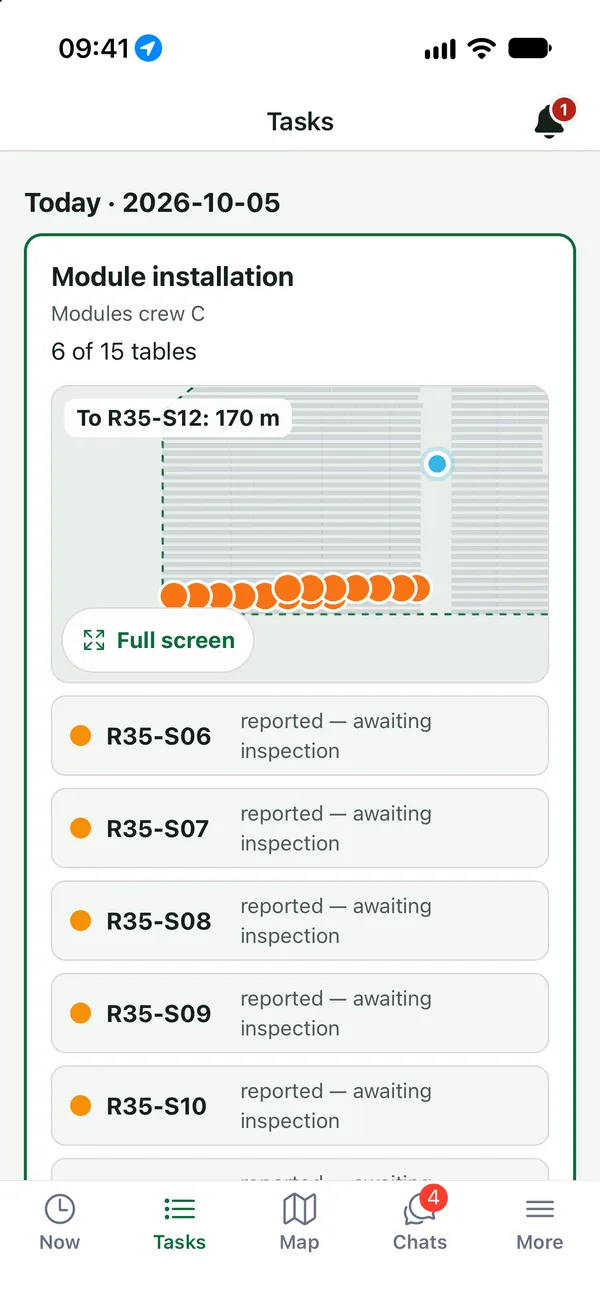
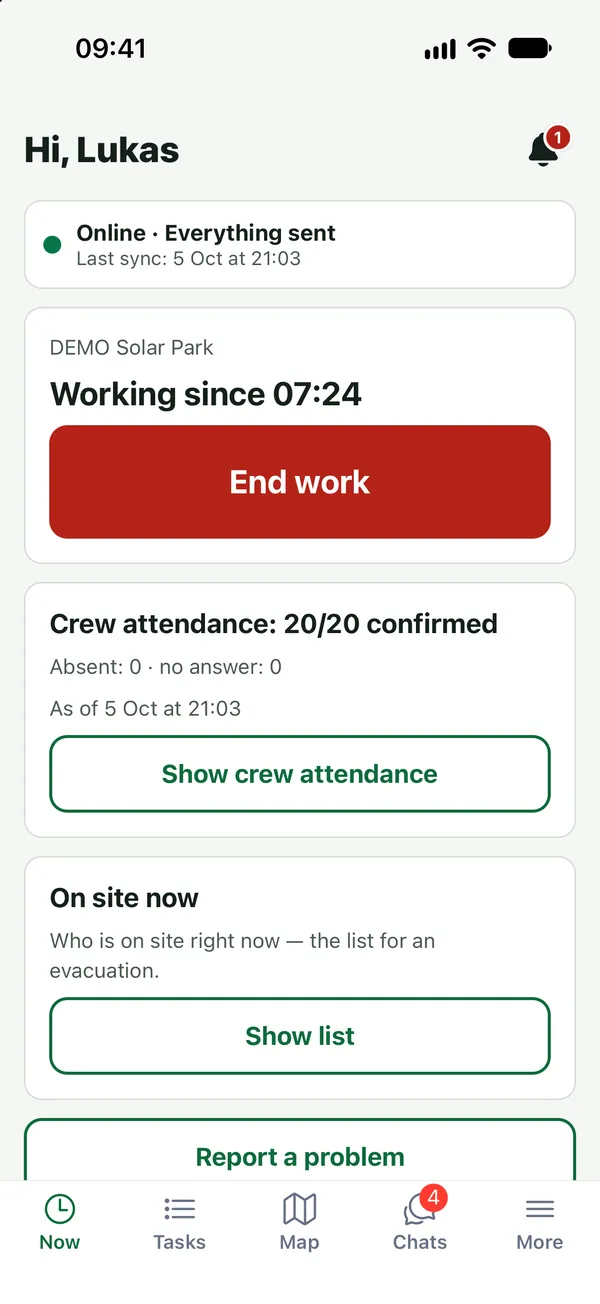
The installer starts work on site, walks to the table with the map on their phone and reports it done with a photo. The photo carries the time and location.
Afternoon inspection
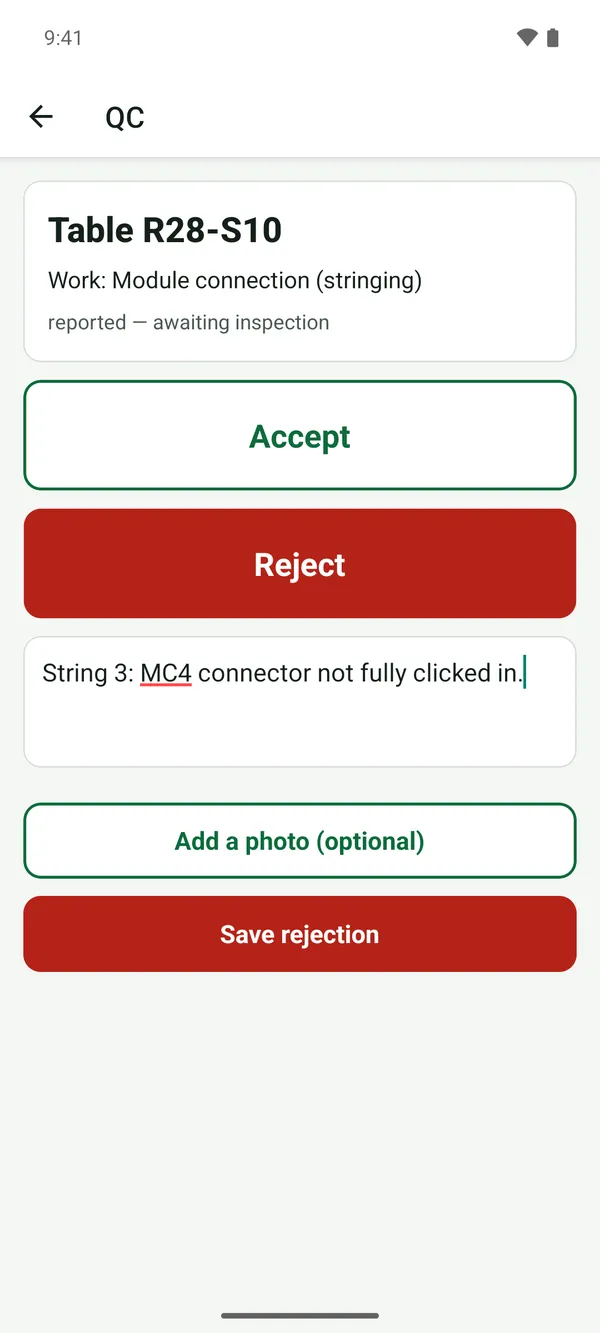
The inspector accepts the table or rejects it with a reason and a photo. The installer gets a notification, and the rework task appears in the plan.
Evening the big picture
FieldSpine counts progress only after acceptance, so the map, the S-curve and the EPC’s accepted progress show the same numbers.
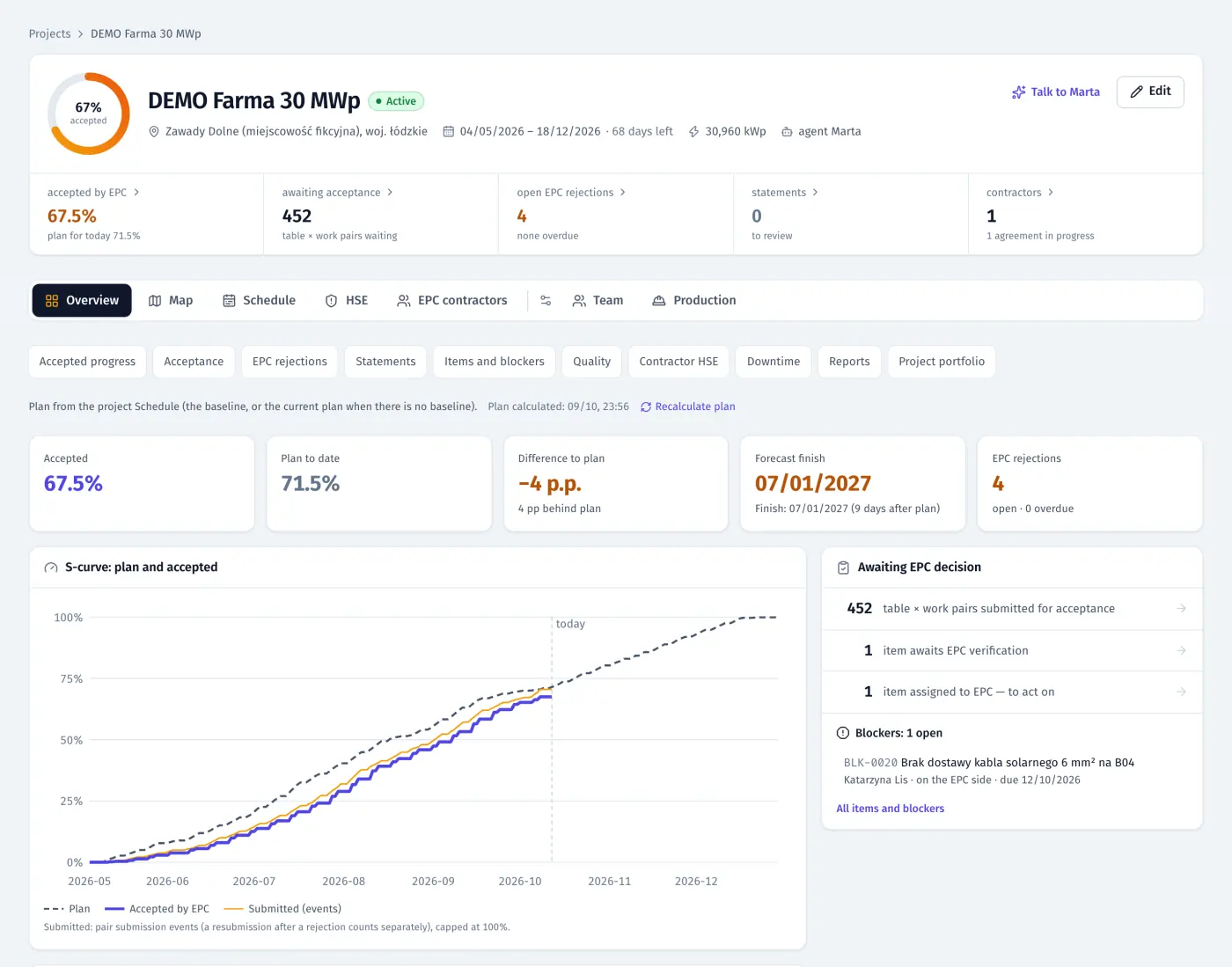
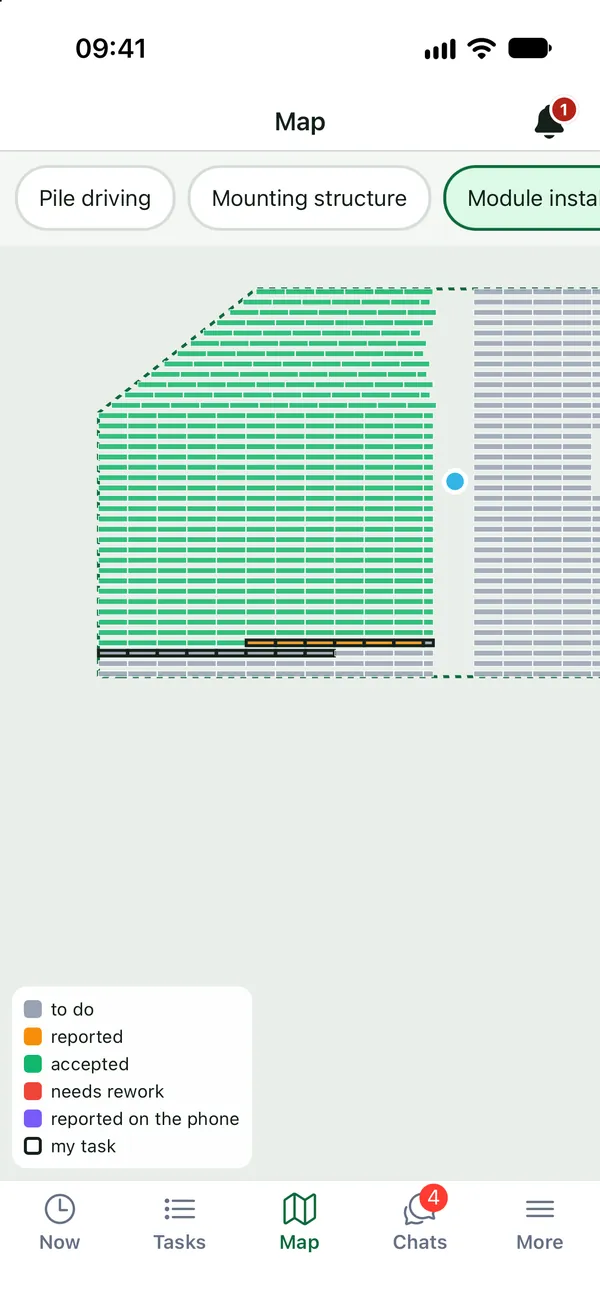
Product screenshots · sample data from a demo project
FieldSpine now covers the site beyond the tables.
Recently added: stages that block work until the earlier step is done, trenches and cables on the map, crew results, and office tools for crews working abroad.
Stages that block work that isn’t ready
Piles go in only after setting-out, modules only after the structure is accepted. When you pick a work type, the map shows where it can start and why the other places are blocked.
See: Planning and stagesTrenches, cables and devices on the map
Routes are split into segments, and inverters and stations are devices. You plan them, crews report them with photos and QC accepts them, as with tables.
See: Electrical and civil worksFrom construction plan to schedule
Set crews and the order of work. FieldSpine shows the finish against the deadline as you change them and writes the schedule in one click.
See: Planning and stagesCrew results from accepted work
A weekly ranking by % of norm. Only work accepted by QC earns points, and each person sees only their own contribution.
See: Crew resultsCrews abroad and their vehicles
Documents with deadlines, housing, trips home, days in each country, and vehicles with a QR code and weekly inspections.
See: People, housing and fleetIn the App Store and on Google Play
Groups like in WhatsApp, calls in the app, and five languages: Polish, Russian, Ukrainian, English and French.
See: Mobile app
One system for the whole site.
Twelve modules on the same data, from the surveyor’s file to the investor’s weekly report.
EPC panel
Accepted progress, table-by-table acceptance, statements, notes, HSE without people and a weekly report.
Learn moreSchedule
Import from MS Project, P6 or Excel, or generate it from your crews and norms. Critical path, actuals from accepted tables, look-ahead.
Learn morePlanning and stages
Construction plan to schedule, stages that block work that isn’t ready, a map of places ready for work and crew load against the norm.
Learn moreProgress map
Start from the surveyor’s file; each report and inspection colours the map. Tables, trenches and devices, up to 10,000 tables per project.
Learn moreElectrical and civil works
Trenches, cables, earthing, fence, roads and devices on the same map as the tables, planned, reported and accepted segment by segment.
Learn moreMobile app
For the whole site: tasks and map, reports with photos, chats and calls, QC and HSE views. PL/RU/UK/EN/FR, works offline.
Learn moreMarta, AI assistant
An AI assistant that talks to crews in five languages, in chat and by voice, asks for missing reports and answers questions about the project.
Learn moreQuality and acceptance
QC queue with photos and GPS, rejection with a reason, rework in the plan, signed PDF protocols, register in Excel.
Learn moreTime and attendance
Start and finish from the app with location, a live attendance board, hours by person and crew, Excel export.
Learn moreCrew results
A weekly crew ranking by % of norm from work accepted by QC, a private view for each person, and Marta’s Monday summary.
Learn moreHSE
Incident and near-miss register, corrective actions, TF/TG, briefings and who is on site now.
Learn morePeople, housing and fleet
Employee documents with deadlines, housing, trips home, days in each country, cards, tools, vehicles and machines.
Learn more
Spreadsheets and WhatsApp compared with FieldSpine.
| What you need | Spreadsheets + chat apps |  |
|---|---|---|
| Table-by-table progress, counted after inspection | by hand, if at all | automatically, on the map |
| Trenches, cables, fence and devices | a separate spreadsheet, if any | on the same map, segment by segment, accepted like tables |
| What can be done next | the site manager’s memory | stages that hold back work until the earlier step is done or accepted |
| Proof of work for your client | photos somewhere on people’s phones | a photo with time and location, at the table |
| Inspection and protocol | paper or a scan | signed in the app, numbered, PDF |
| Rework after a rejection | “someone was supposed to pass it on” | a task in the plan + a notification |
| Schedule vs. reality | a file nobody on site opens | actuals from accepted tables, forecast, look-ahead |
| Crews speaking different languages | pointing and gestures | PL / RU / UK / EN / FR in the app |
| No signal | “I’ll send it tonight” | work saved on the phone, sent automatically |
| Your rates, hours and people | in the same files as the report | stay with you; the EPC sees only work facts |
Built on a real construction site.
Data securityWe build FieldSpine with a contractor that installs solar farms, on data from a real site in France and together with its site managers and inspectors.
Built for large farms: up to 10,000 tables per project (about 90 MWp).
Each company’s data is isolated, and the server checks roles and permissions on every read and action.
The database and files are in the European Union.
The FieldSpine app is publicly available in the App Store and on Google Play.
The questions we hear most.
How much does FieldSpine cost?
The price depends on how many people you have on site and the size of your projects. Your organisation can have its own licence or be sponsored by your EPC (see licensing). We send the quote after the demo.
How long does it take to launch the first site?
We load the site map from the surveyor’s file and the schedule from your planning tool, and you add people from a list. We launch your first site together with you.
Do installers need an email address?
No. They sign in with a one-time activation code. The app is free in the App Store and on Google Play (search for “FieldSpine”) and works in Polish, Russian, Ukrainian, English and French.
Does FieldSpine handle more than tables?
Yes. Trenches, cable runs, earthing, the fence and roads are routes on the same map, split into segments; inverters, stations and lamps are devices. Crews report them with photos, QC accepts them, and stages block work until the step it depends on is done.
What if there’s no signal on site?
The crew works as usual: the plan and the map are on the phone, and reports and photos are saved and sent automatically once the signal comes back.
Does my EPC see my people, hours and rates?
No. The EPC sees work facts: tables, submissions, acceptance decisions, notes and HSE without people. Names, headcount, hours, rates and chats stay with you.
Where is the data stored?
The database and files are in the European Union. Each company’s data is kept separate from others. Details in our privacy policy.
See your own site in FieldSpine.
Send us your table layout file or describe your project. In a 30-minute demo we show you your site in FieldSpine. No commitment.