
A schedule updated from the tables you accepted.
Import the plan from MS Project, Primavera P6 or Excel. FieldSpine calculates the critical path, takes actual progress from accepted tables, forecasts the finish and turns the next two or three weeks into a day plan.
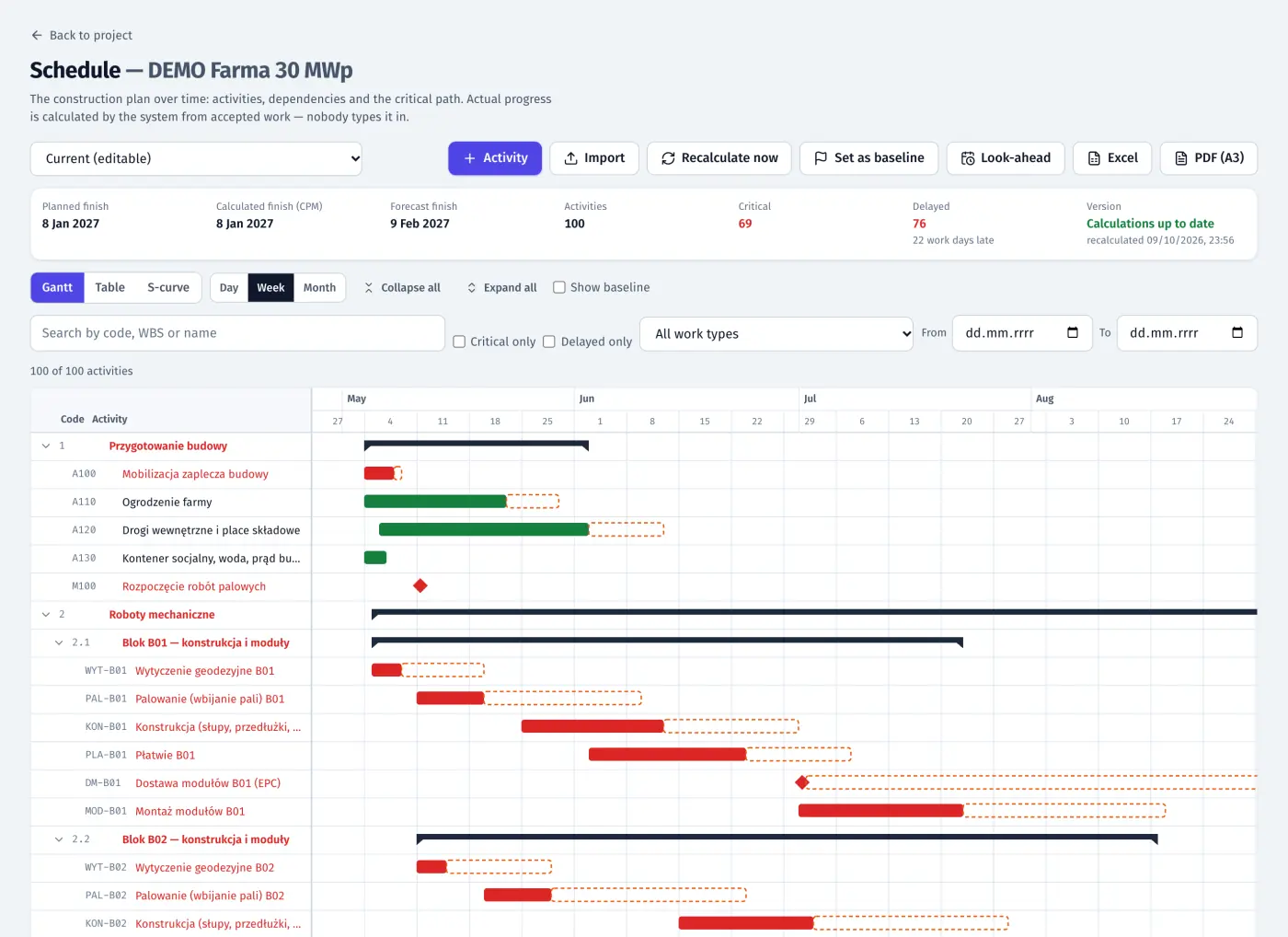
Product screenshots · sample data from a demo project
- 5,000 activities on a smooth Gantt
- 14 / 21 days look-ahead windows
- MS Project · P6 · Excel schedule import
What it does
- 01
Import from the tools you already use
Excel or CSV, MS Project XML, Primavera P6 XER and P6 XML. A re-import shows what is new, changed or removed, and leaves the baseline unchanged.
- 02
Or generated from your construction plan
Set crews, people per crew and the order of work. FieldSpine calculates from your norms and calendar, shows the finish against the deadline as you type, suggests which extra crew shortens the build most, and writes the activities into the schedule in one click.
- 03
Critical path, calculated
Activities and FS/SS/FF/SF dependencies with lags, a calendar with holidays, constraints and float. FieldSpine recalculates after each change.
- 04
Actuals from the site
Actuals come from the counters of reported and accepted tables per block. The forecast uses the pace of the last 14 days. S-curve: baseline, current and actual.
- 05
Gantt, table and S-curve
A Gantt that stays smooth with 5,000 activities, a table view on the phone, export to PDF (A3) and XLSX. Only the board sets the baseline.
- 06
Look-ahead with front readiness
A 14- or 21-day window showing for each block whether the front is blocked, at risk or ready. Printable as PDF.
- 07
From the schedule to the day plan
“From schedule” suggestions in the day-task form, in the panel and in the app. A notification when a critical activity has had no task for two days.
- 08
The EPC plan, only for your scope
An EPC shares its schedule with each contractor, limited to the activities in that contractor’s scope. The contractor’s own schedule stays private.
In the product
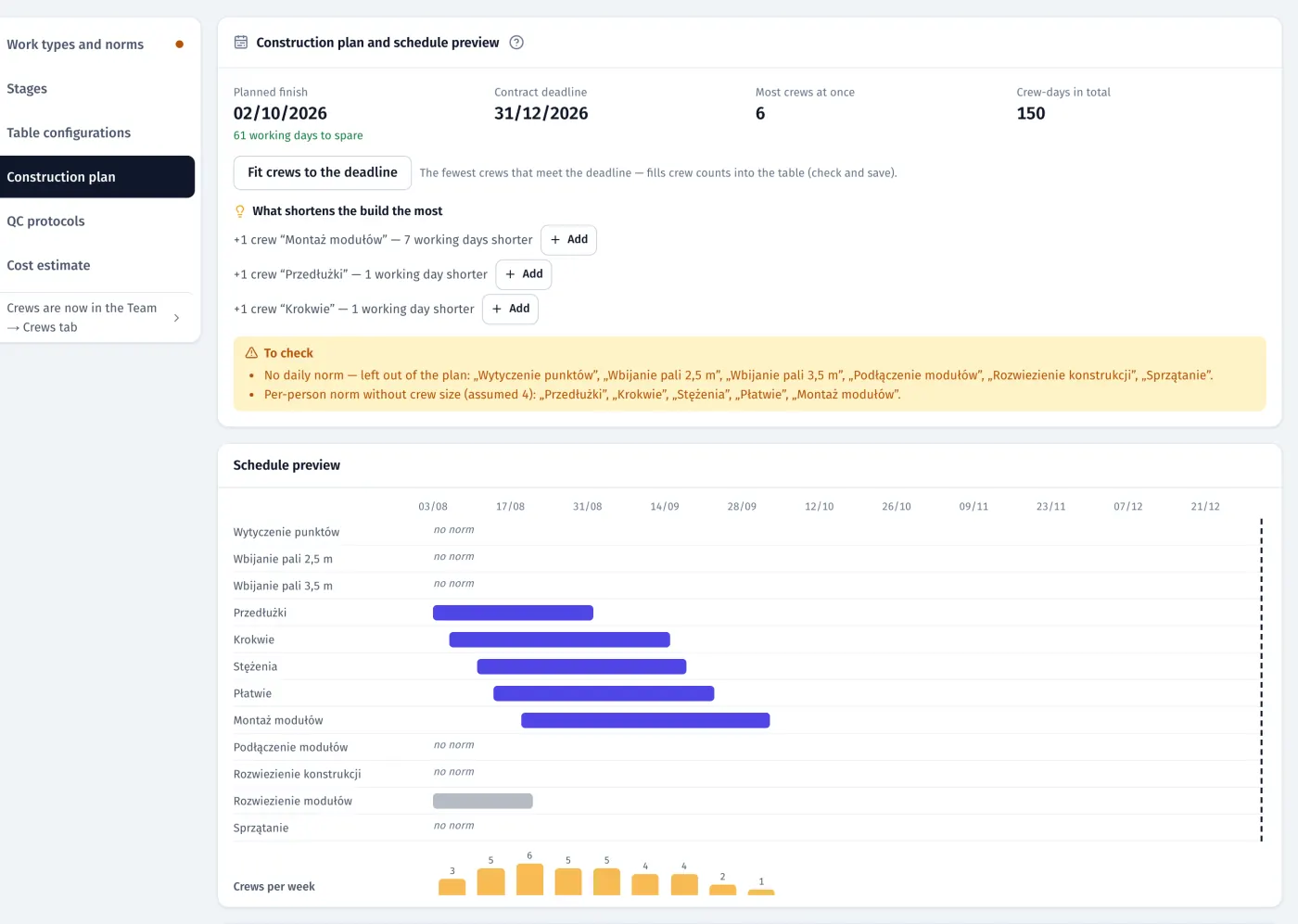
Construction plan: crews and order of work, finish against the deadline, what shortens the build most, live schedule preview and crews per week
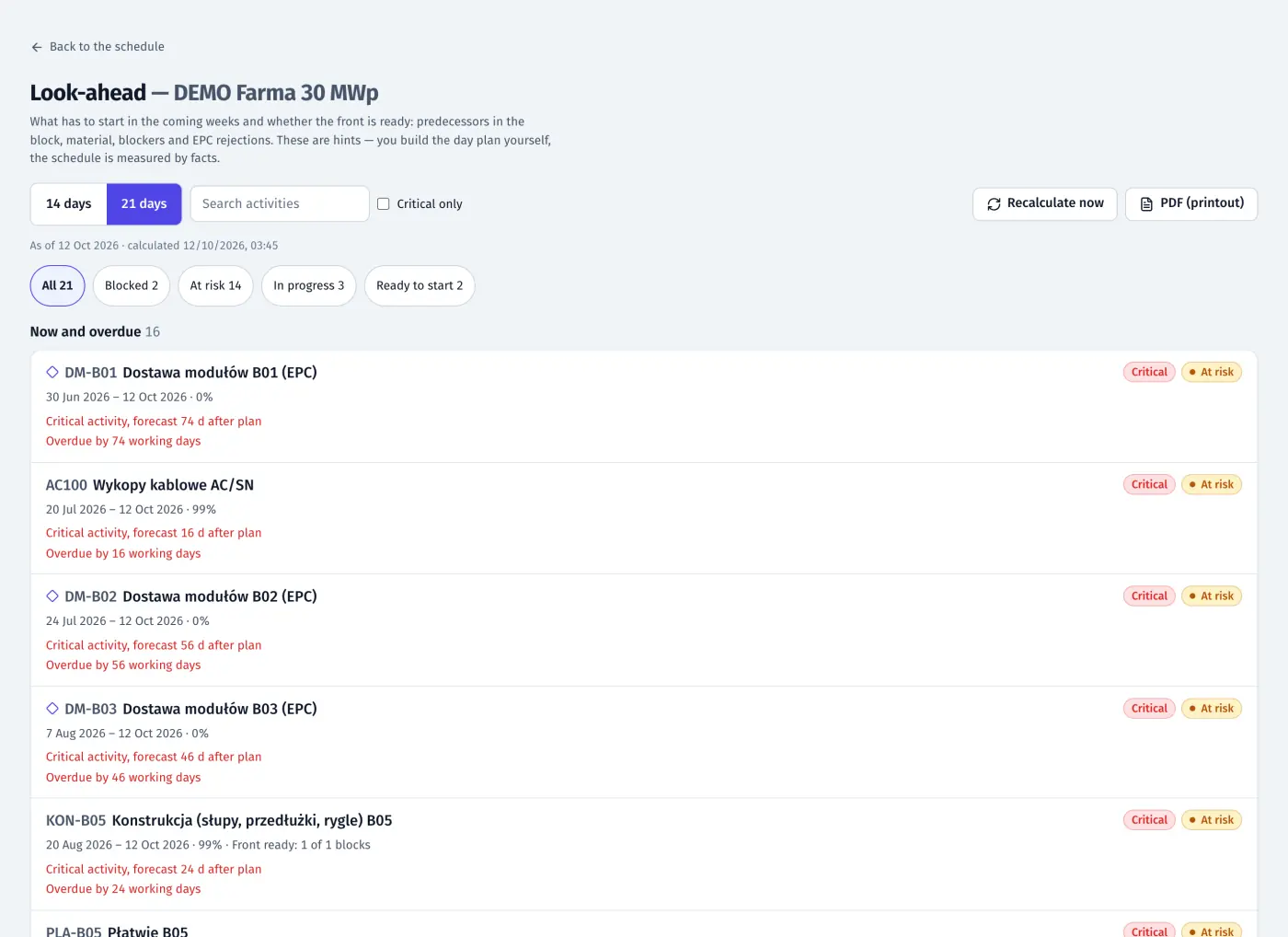
Look-ahead: activities for the coming weeks with front readiness (blocked, at risk, ready to start)
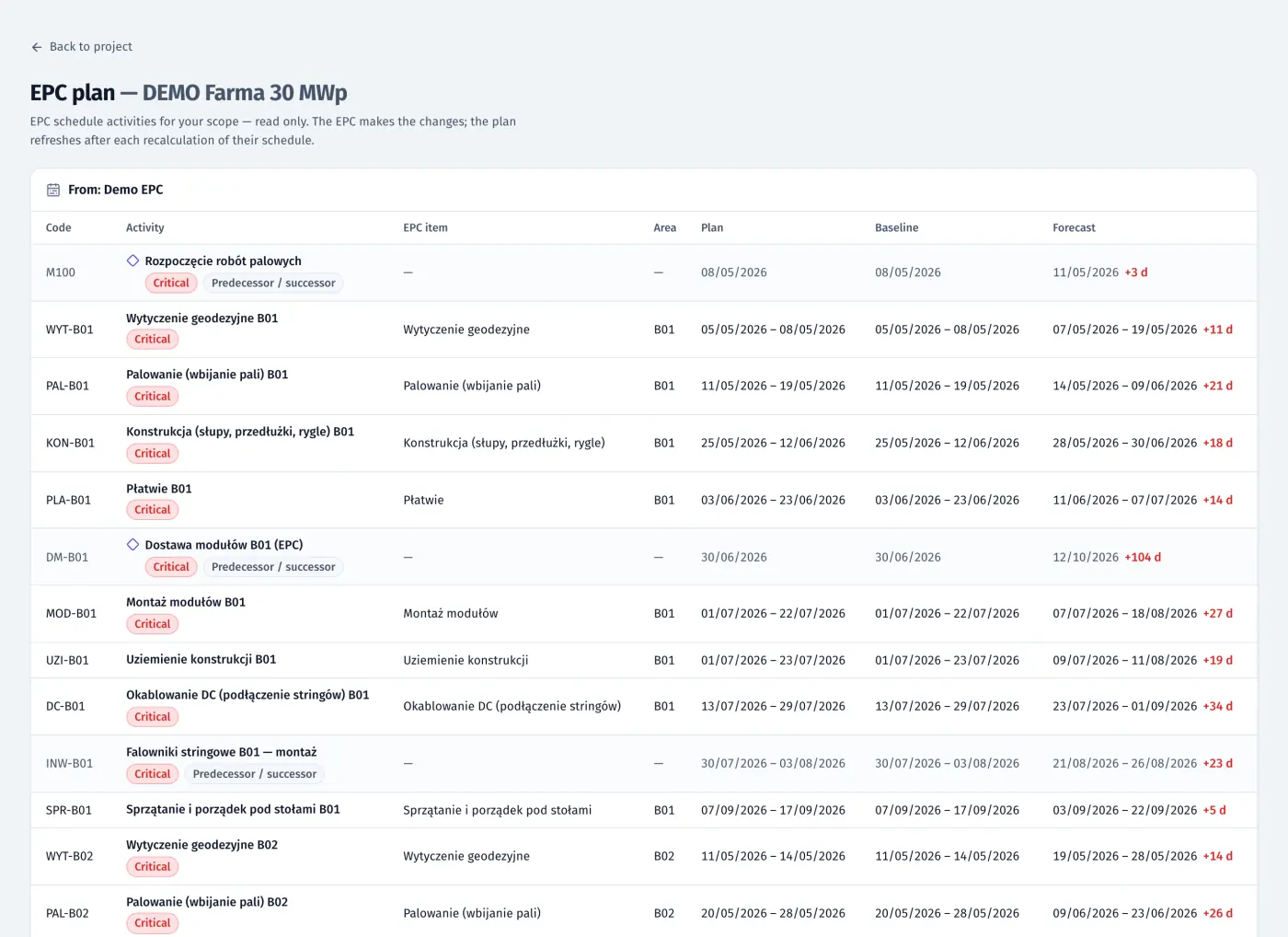
Contractor view: the EPC plan for its scope with baseline, plan and forecast
Product screenshots · sample data from a demo project
See your own site in FieldSpine.
Send us your table layout file or describe your project. In a 30-minute demo we show you your site in FieldSpine. No commitment.