
Inspect in the field and record each decision with a photo, a reason and a protocol.
A queue of tables waiting for inspection with the crew’s photos and GPS position, acceptance or rejection from your phone, numbered signed protocols, and a register your client can audit.
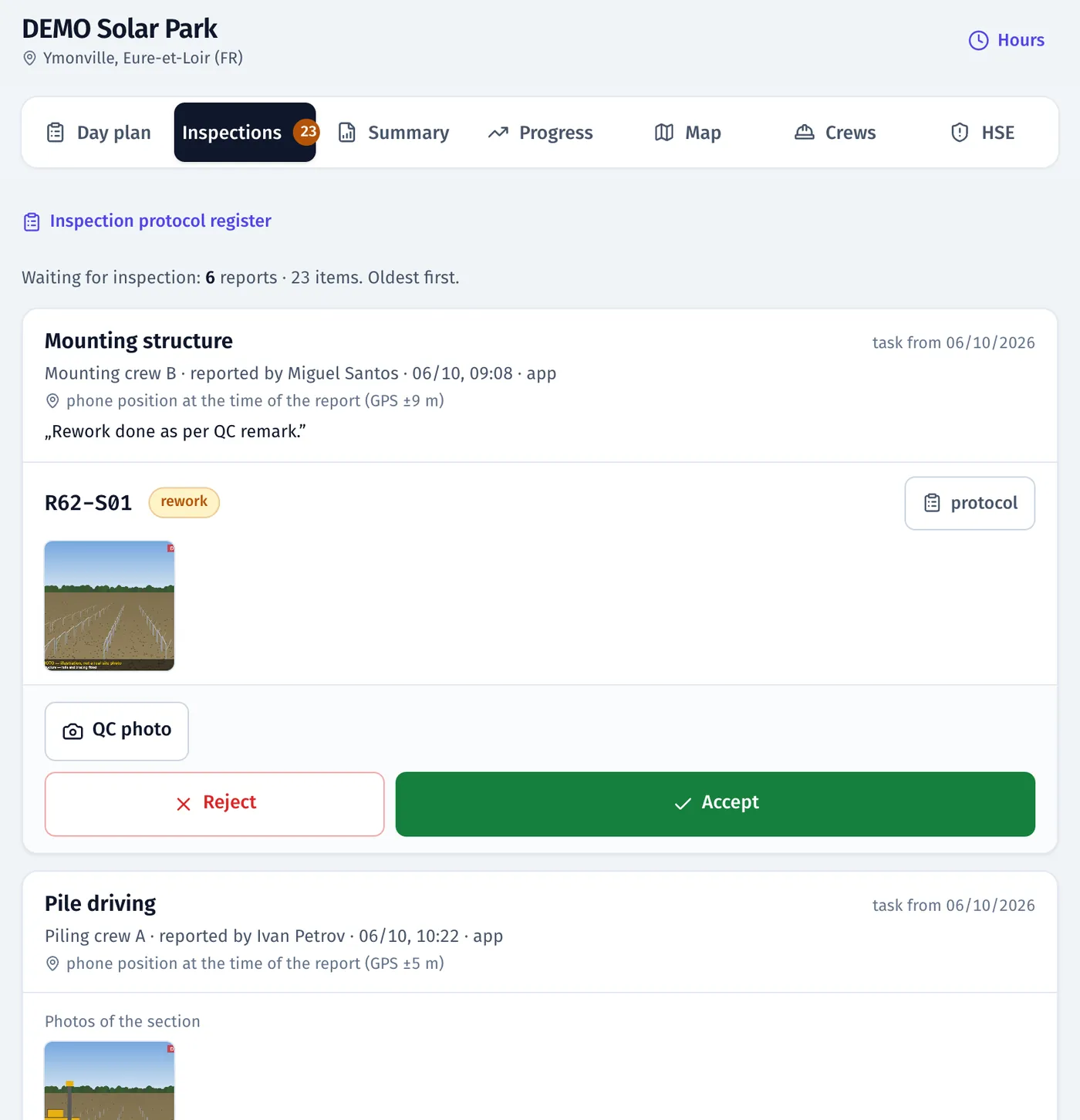
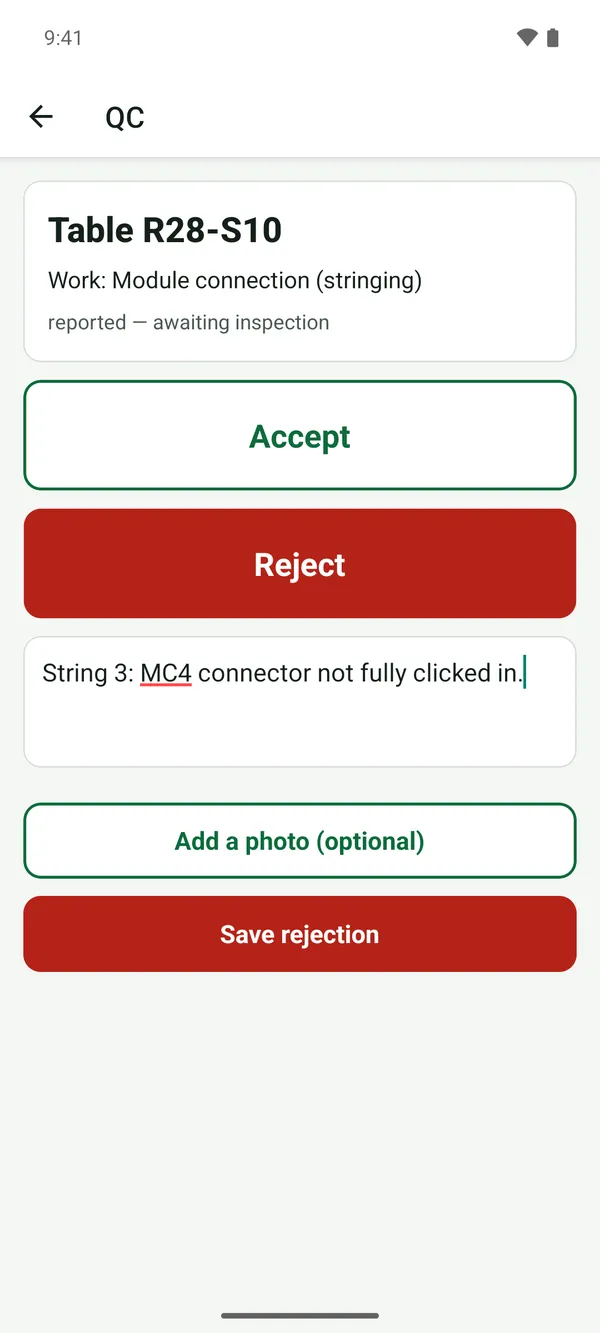
Product screenshots · sample data from a demo project
Sound familiar?
- “I walk the site with a paper checklist and retype it in the evening.”
- “The crew says ‘done’ and I can’t tell which tables they mean.”
- “A rejected table comes back and nobody tells me it was fixed.”
- “The EPC wants an inspection register, and I have binders.”
What you get
A queue with evidence
The tables waiting for you, with the crew’s photos, time and GPS position.
See: Quality and acceptance“To inspect” on the app map
Walk the site with the map of tables waiting for QC and an ACCEPT button on each.
See: Mobile appReject with a reason, then see the fix
FieldSpine creates a rework task and notifies the installer. When the crew reports the fix, the table comes back to your queue.
See: Quality and acceptanceNumbered, signed protocols
Checkpoints, OK/NOK, photos and signature; number, time, location and a SHA-256 hash. PDF with the fieldspine.com footer.
See: Quality and acceptanceA register the client can audit
Each decision with photos and links to tables, filtered by work, inspector and date. Export to Excel.
See: Quality and acceptanceStages that wait for your acceptance
Mark a stage as needing QC acceptance. Until you accept it, nobody can plan or report the next work on that table, trench segment or device.
See: Planning and stages
In the product
Inspection register: each QC decision with the table, work type, inspector and time
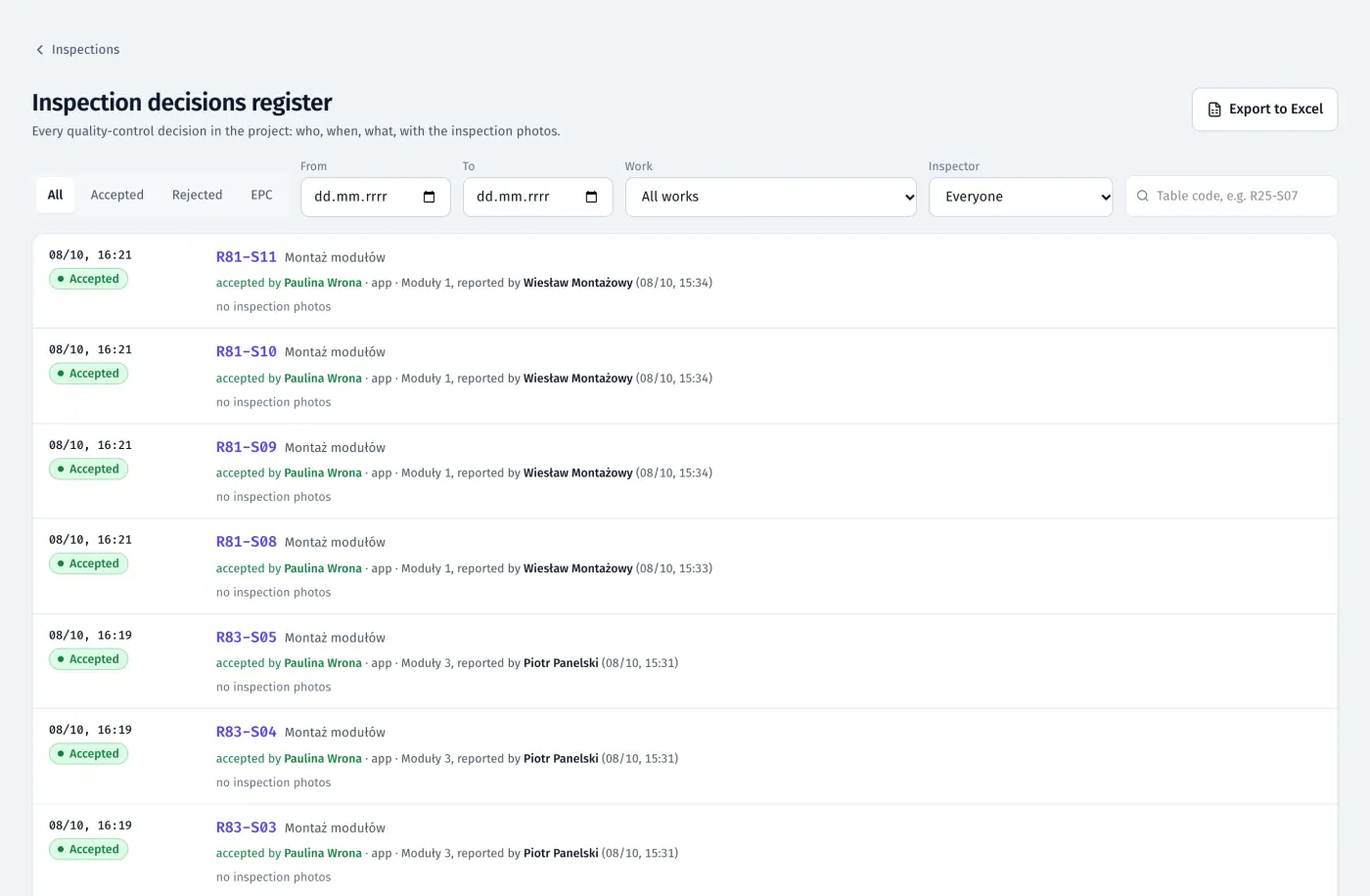
Product screenshots · sample data from a demo project
A day with FieldSpine
- Morning
Open the queue: tables reported yesterday, with photos and positions.
- On site
Accept from the map in the app, or reject with a reason and a photo.
- Afternoon
Fixed tables are back in the queue, and you sign the protocol in the app.
- On request
Send the client the protocols as PDF and the register in Excel.
See your own site in FieldSpine.
Send us your table layout file or describe your project. In a 30-minute demo we show you your site in FieldSpine. No commitment.