
One app for the whole site, in the crew’s language and without signal.
Installers and foremen get their plan, the map to the table and reporting with a photo. Site managers, inspectors, HSE and EPC inspectors get their own views in the same app. Your role sets what you can do. Free in the App Store and on Google Play.
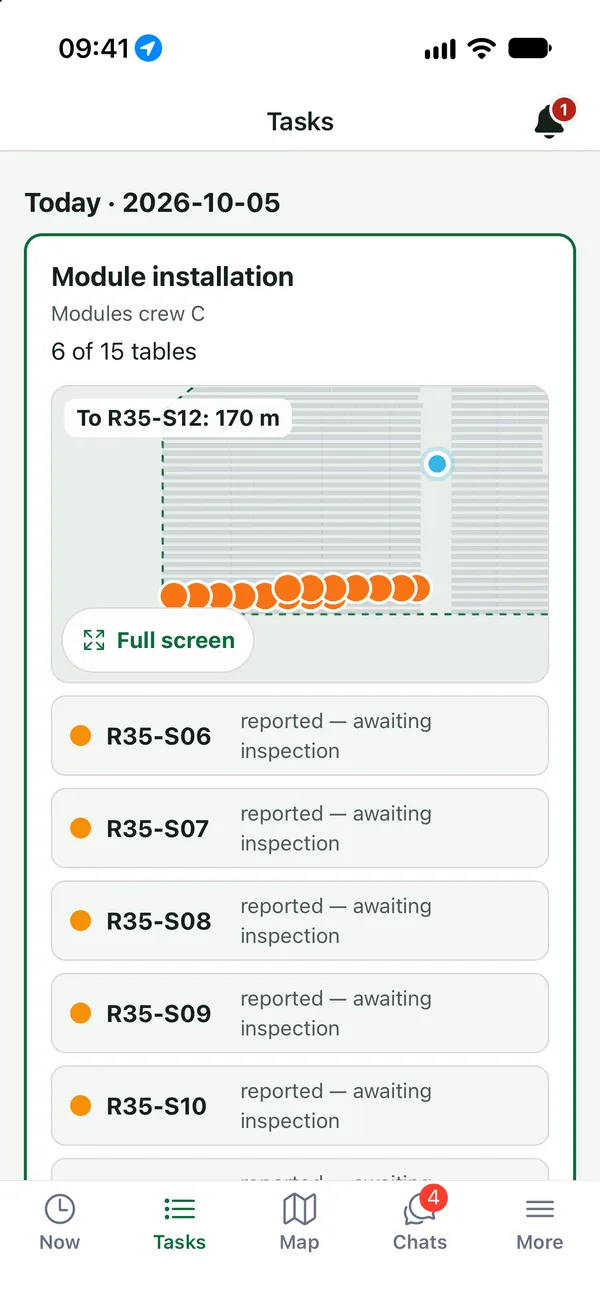
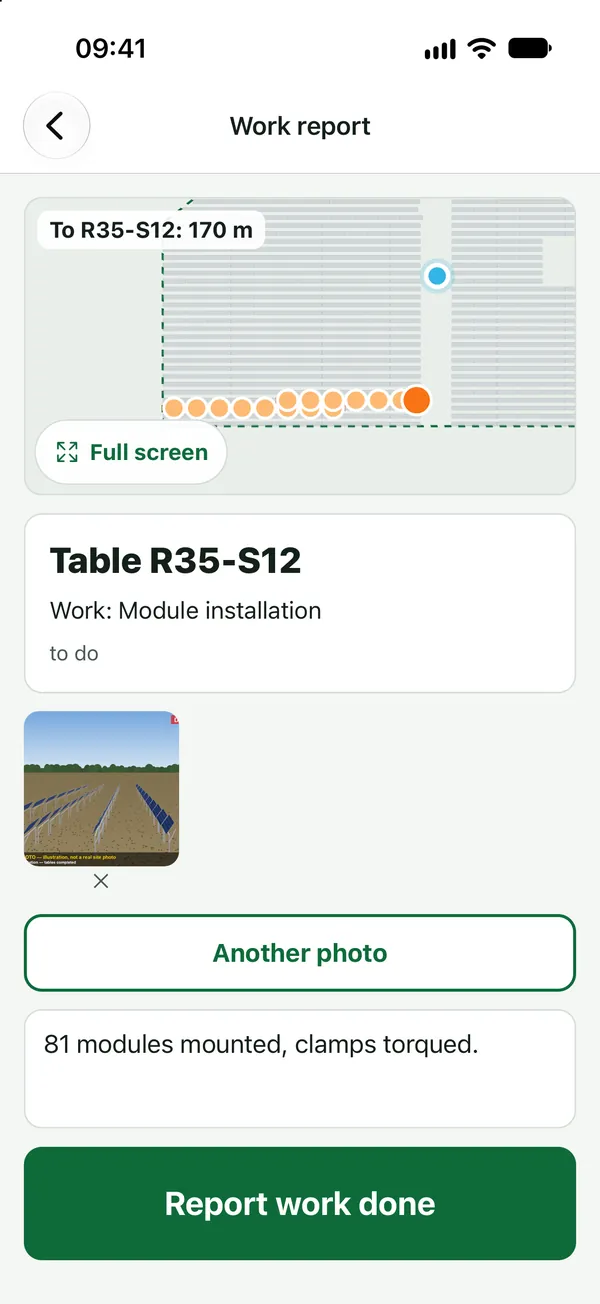
Product screenshots · sample data from a demo project
- PL · RU · UK · EN · FR · ES · RO · IT each person picks their language
- Offline plan, map and reports without signal
- 14 days validity of an activation code
What it does
- 01
Activation by code
No email and no password. The office issues a code in the project team list and sees whether the person has installed the app. A code is valid for 14 days.
- 02
Today’s tasks and the map to the table
Tasks for the day with a mini-map, a map that opens on “Today” with a legend, and a walk-to-table view. Add a task straight from a table card.
- 03
Photo reports with location
Each photo carries the time and the phone’s location; in the panel you can show where it was taken.
- 04
Works with no signal
The plan and the map are on the phone. Reports and photos are saved and sent automatically when the signal returns. The only status a worker sees is an offline banner.
- 05
Reporting only while at work
Reports, acceptance and protocols from the phone work only after the person starts work on site, so the record matches who was there.
- 06
Views for the whole site
A “Site” tab for site managers, QC and HSE. A “To inspect” map with an ACCEPT button for QC. EPC inspectors accept and raise notes with a photo from the table card, also offline.
- 07
Chats and groups
Site, crew and private chats, plus groups anyone can set up, like in WhatsApp, with a name and photo. Push notifications, @mentions and swipe to reply. Marta can join a group for one site.
- 08
Calls in the app
Voice calls person to person and group calls from the site or crew chat, over the internet and without a phone operator.
- 09
The rest of the job, too
Where your office uses these modules, workers see their vehicle and report damage, ask for a trip home, add photos of their documents and request a card top-up, also offline.
In the product
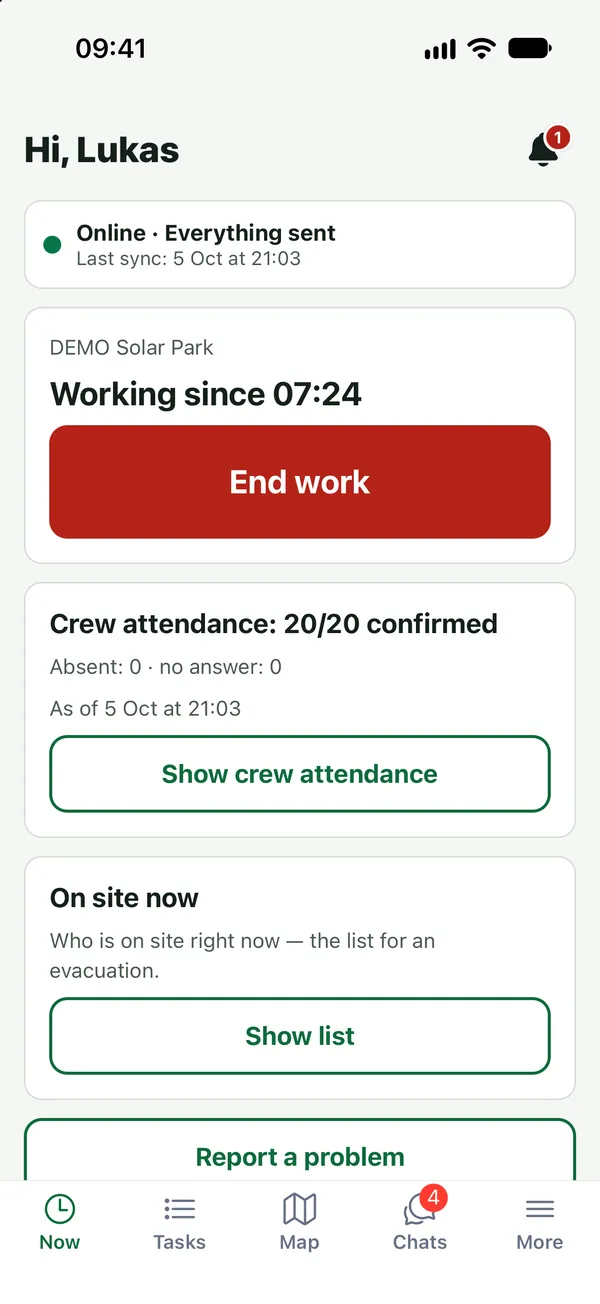
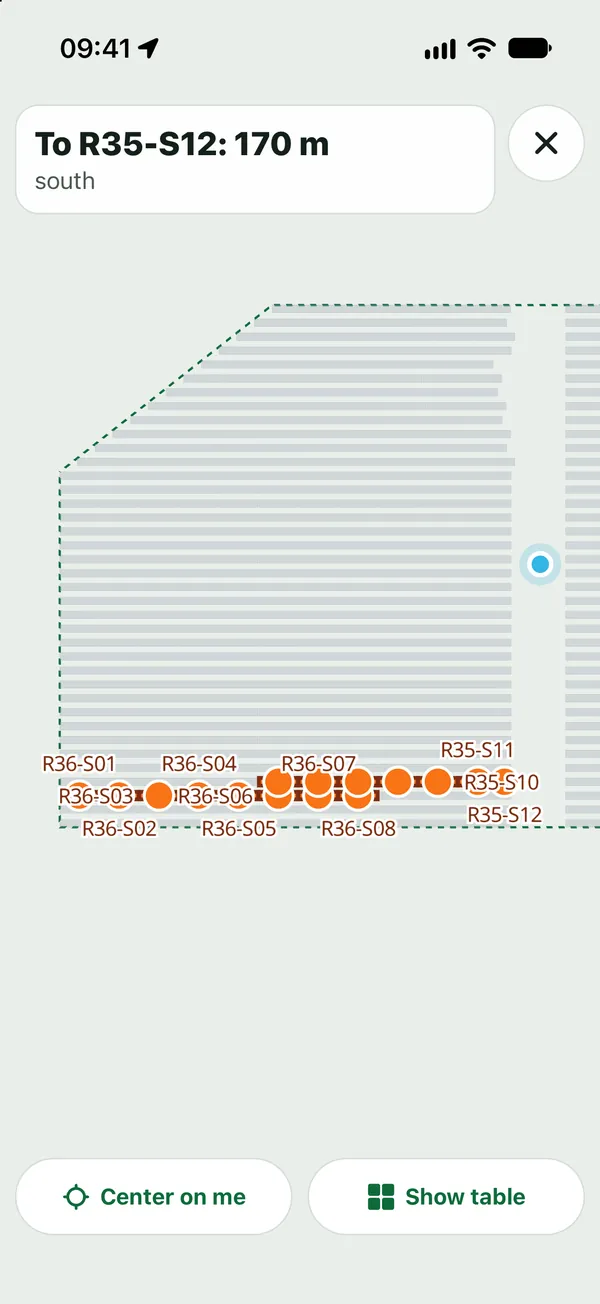
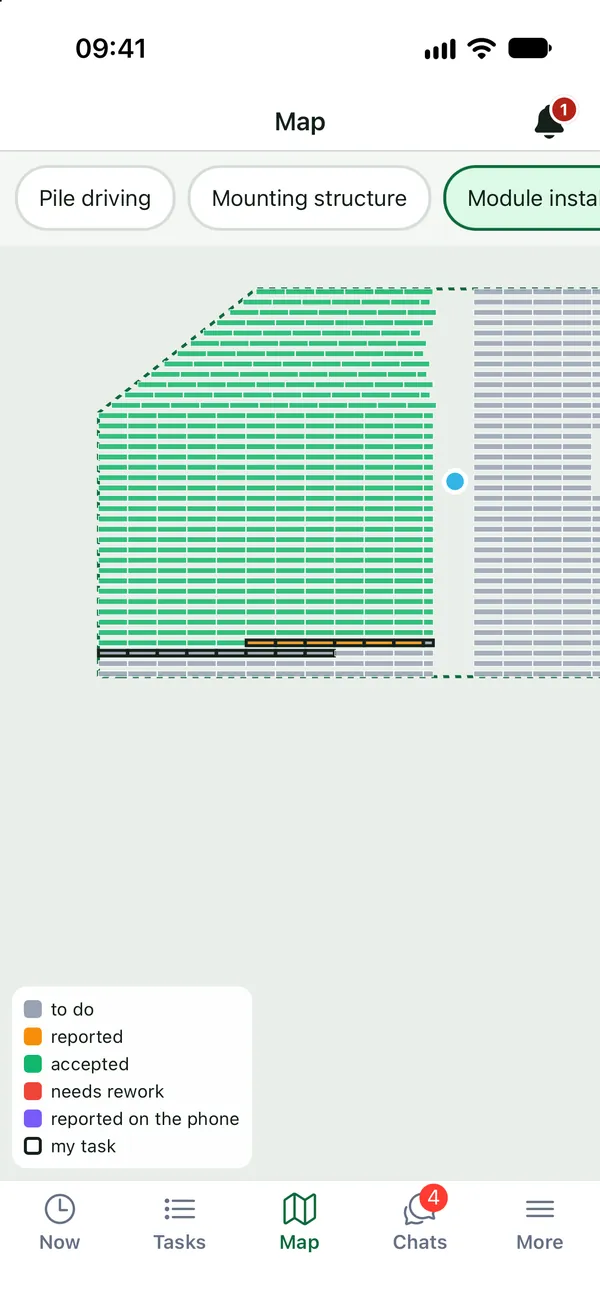
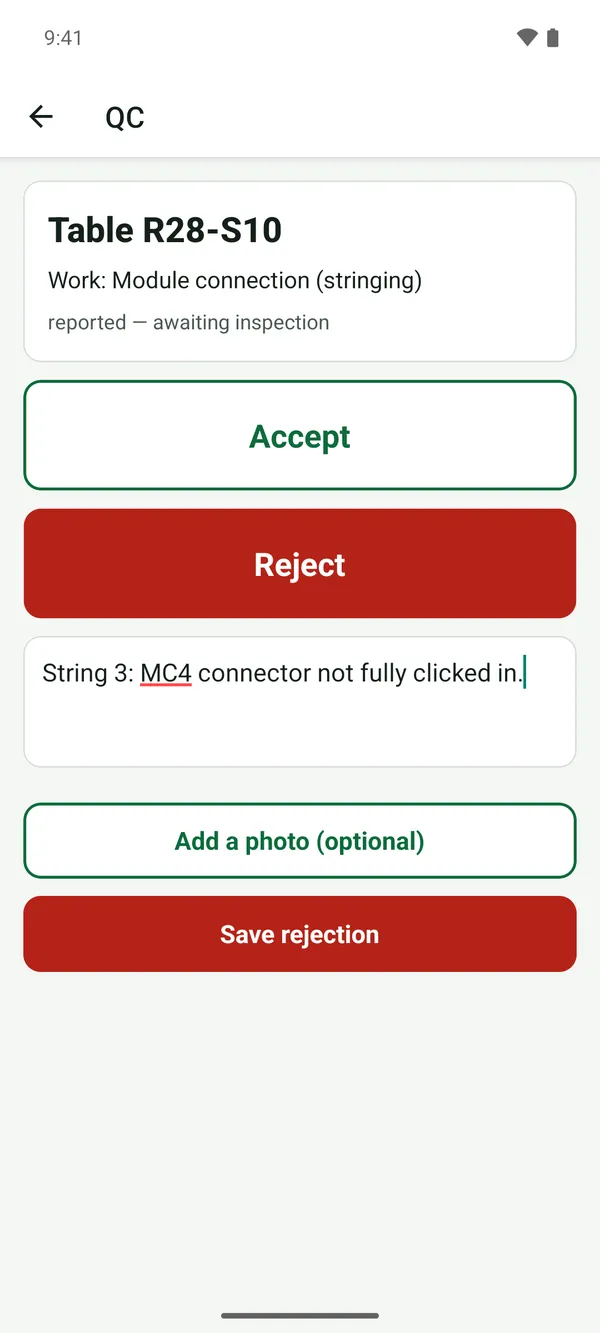
Product screenshots · sample data from a demo project
Who uses it
See your own site in FieldSpine.
Send us your table layout file or describe your project. In a 30-minute demo we show you your site in FieldSpine. No commitment.