
Your plan on your phone. One photo and the table is reported.
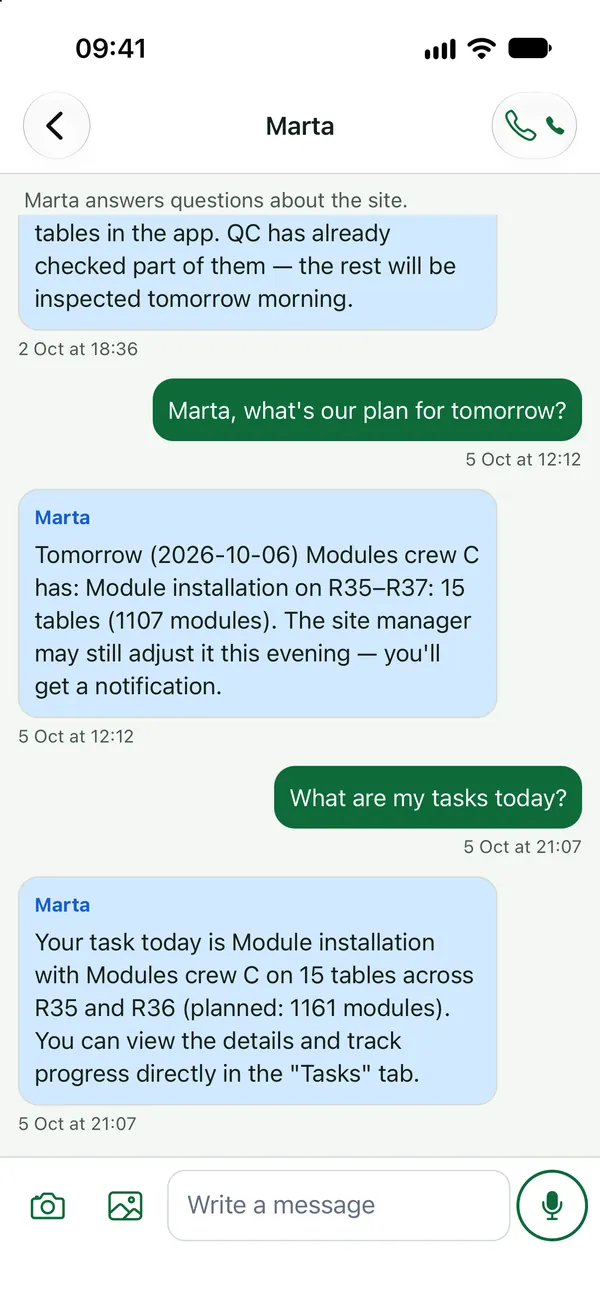
The app for foremen and installers: today’s tasks with a map to the table, reporting with a photo, chats and calls with the crew and the site manager. It works in Polish, Russian, Ukrainian, English or French, even with no signal.
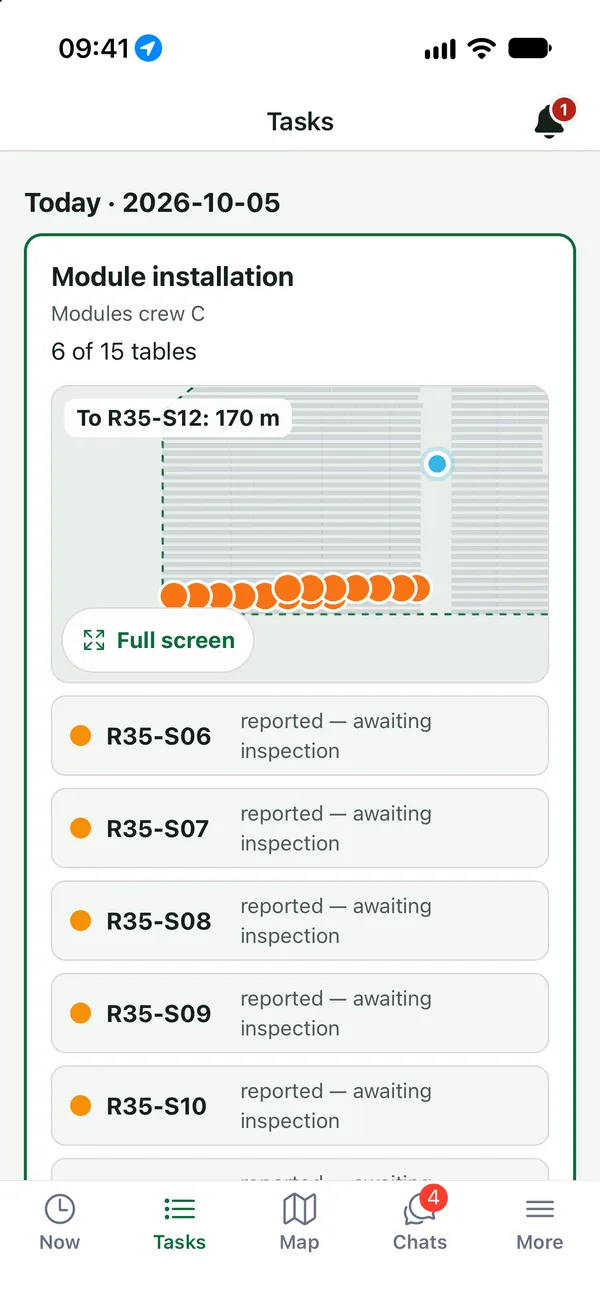
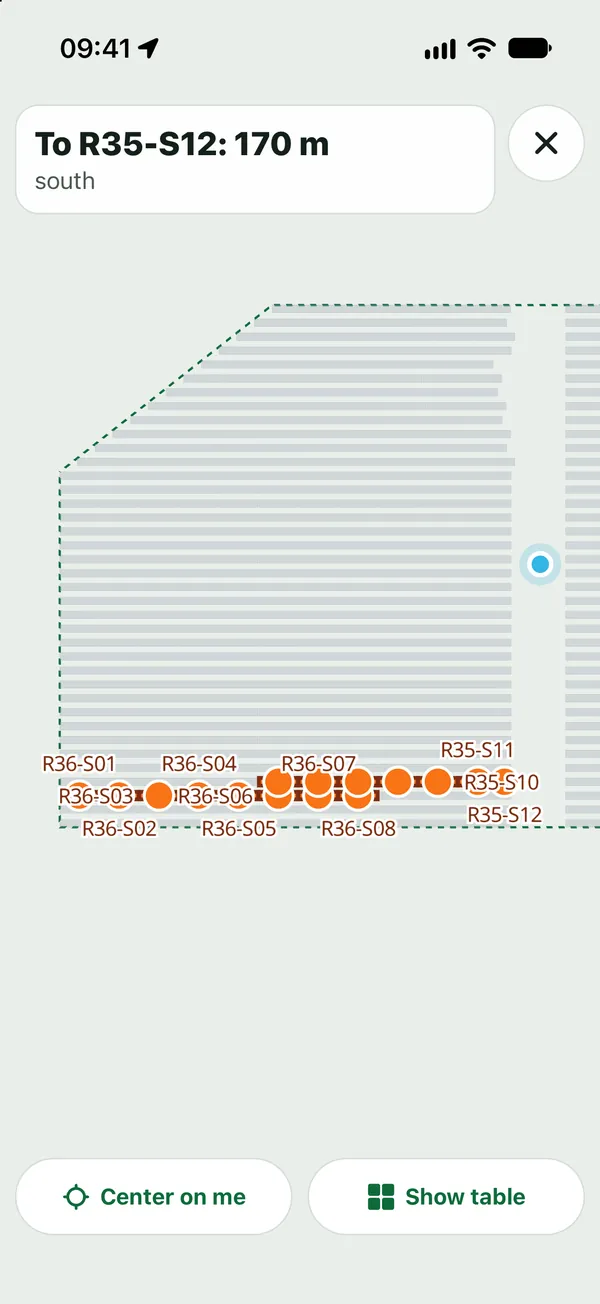
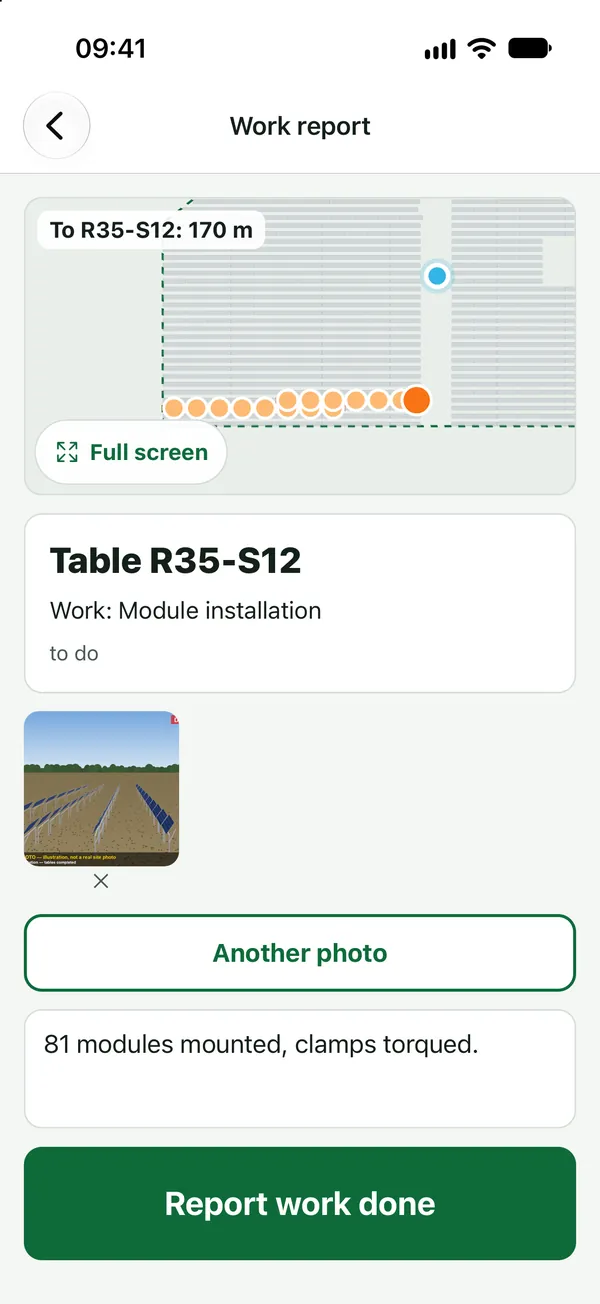
Product screenshots · sample data from a demo project
Sound familiar?
- “Every morning I wait for someone to tell me which row.”
- “I sent the photo to the group, and then they say they never got it.”
- “Half the farm has no signal.”
- “The instructions are in a language I barely read.”
What you get
Today’s tasks
In the morning your phone shows what to do today and at which tables, with a mini-map.
See: Mobile appThe map to the table
A map that opens on “Today” and guides you to your table.
See: Mobile appOne photo, and it’s reported
Report the table with a photo. The app adds the time and location.
See: Mobile appYour language, no signal needed
Polish, Russian, Ukrainian, English or French. Reports are saved and sent when the signal returns.
See: Mobile appYou hear back
You get a notification when your table is accepted, or a NOK with the reason so you know what to fix.
See: Quality and acceptanceStart and finish in one tap
Start and finish work in the app. You sign in once, with an activation code, and need no paper lists.
See: Time and attendance
In the product
Mobile app: work started, crew attendance and who is on site
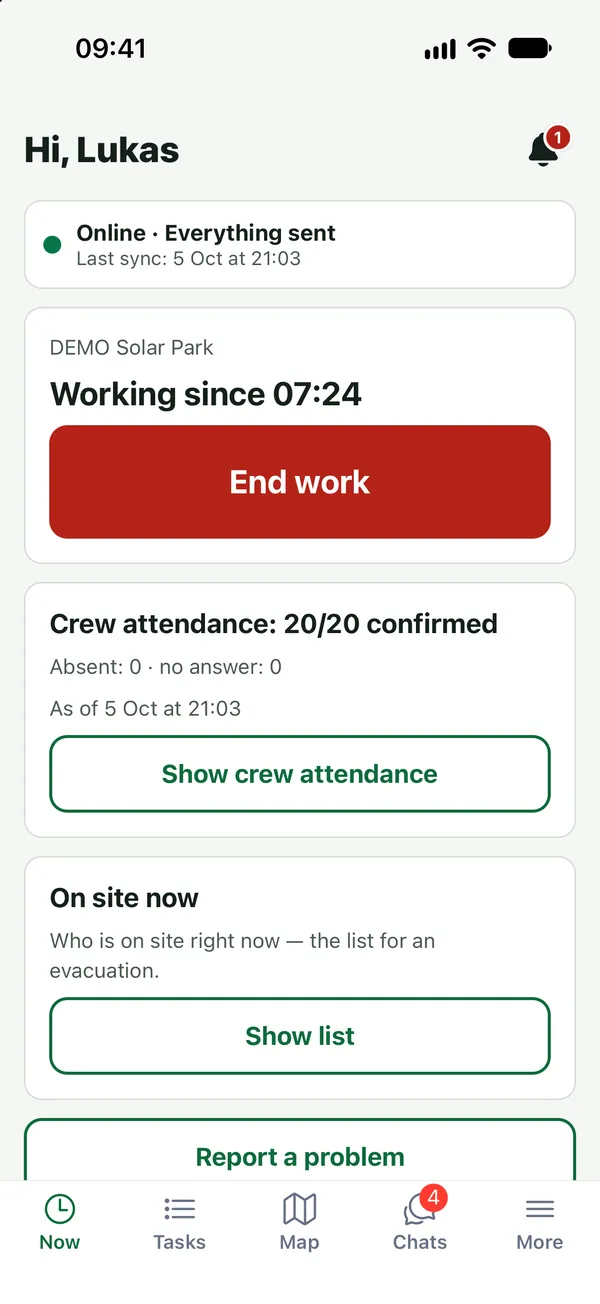
Product screenshots · sample data from a demo project
A day with FieldSpine
- Arrival
Tap “Start work”. Today’s tasks and the map are already on the phone.
- At the table
The map guides you to the table; take a photo and report it.
- Afternoon
A notification: accepted, or NOK with the reason and the fix added to your plan.
- End of day
Tap “Finish”. Reports saved without signal go out when the phone reconnects.
See your own site in FieldSpine.
Send us your table layout file or describe your project. In a 30-minute demo we show you your site in FieldSpine. No commitment.