
Inspection records your client can check.
Crews report tables with a geotagged photo, inspectors accept or reject with a reason, and each decision goes into a numbered protocol and a register. Progress counts only accepted work.
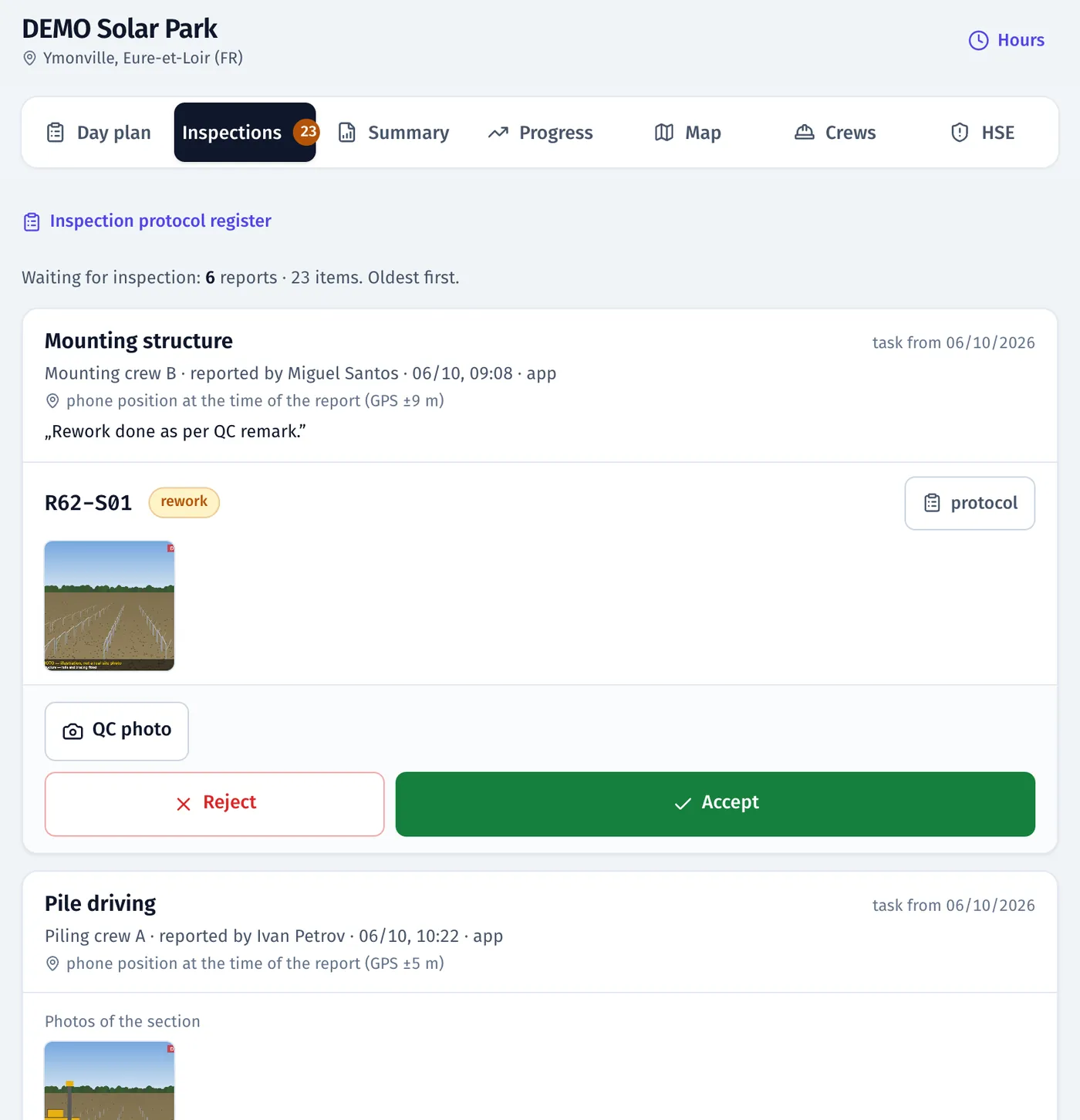
Product screenshots · sample data from a demo project
- SHA-256 content hash on every signed protocol
- PDF + Excel protocols and the inspection register
- fieldspine.com footer on every PDF
What it does
- 01
Inspection queue with evidence
Tables waiting for inspection with the crew’s photos and GPS position, in the panel and on the “To inspect” map in the app.
- 02
Accept or reject with a reason
A rejection needs a reason and can carry a photo. The installer gets a notification with the reason.
- 03
Rework back to inspection
A rejection creates a rework task in the plan. After the fix the table returns to inspection, and the installer gets a notification with the outcome.
- 04
Numbered, signed protocols
Checkpoints, OK/NOK, photos of the crew and inspector, electronic signature; number, time, location and a SHA-256 content hash.
- 05
Register of inspections
Each decision with photos and links to tables, filtered by work type, inspector and dates. Export to Excel.
- 06
Table history
Who reported, when, the photo with location, the inspector’s decision and the protocol: the full chain you need for billing.
- 07
Internal QC and EPC acceptance kept apart
Your own NOKs and the EPC’s rejections are separate facts, with separate colours and counters.
- 08
Acceptance that holds the next stage
A stage can require QC acceptance. Until someone accepts it, nobody can plan or report the next work on that table, trench segment or device.
In the product
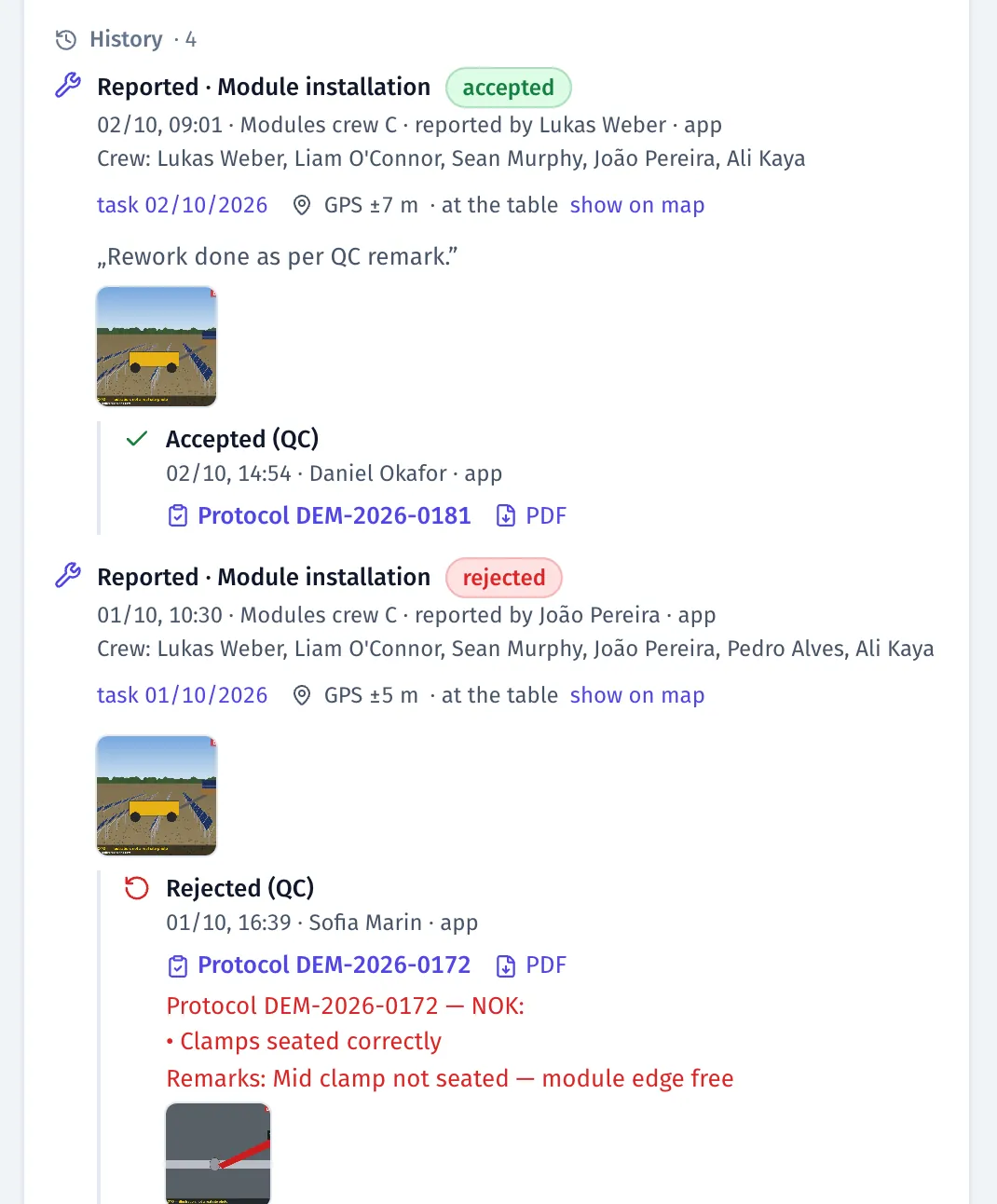
Table history: report with photo and GPS, NOK protocol, rework, acceptance with a protocol
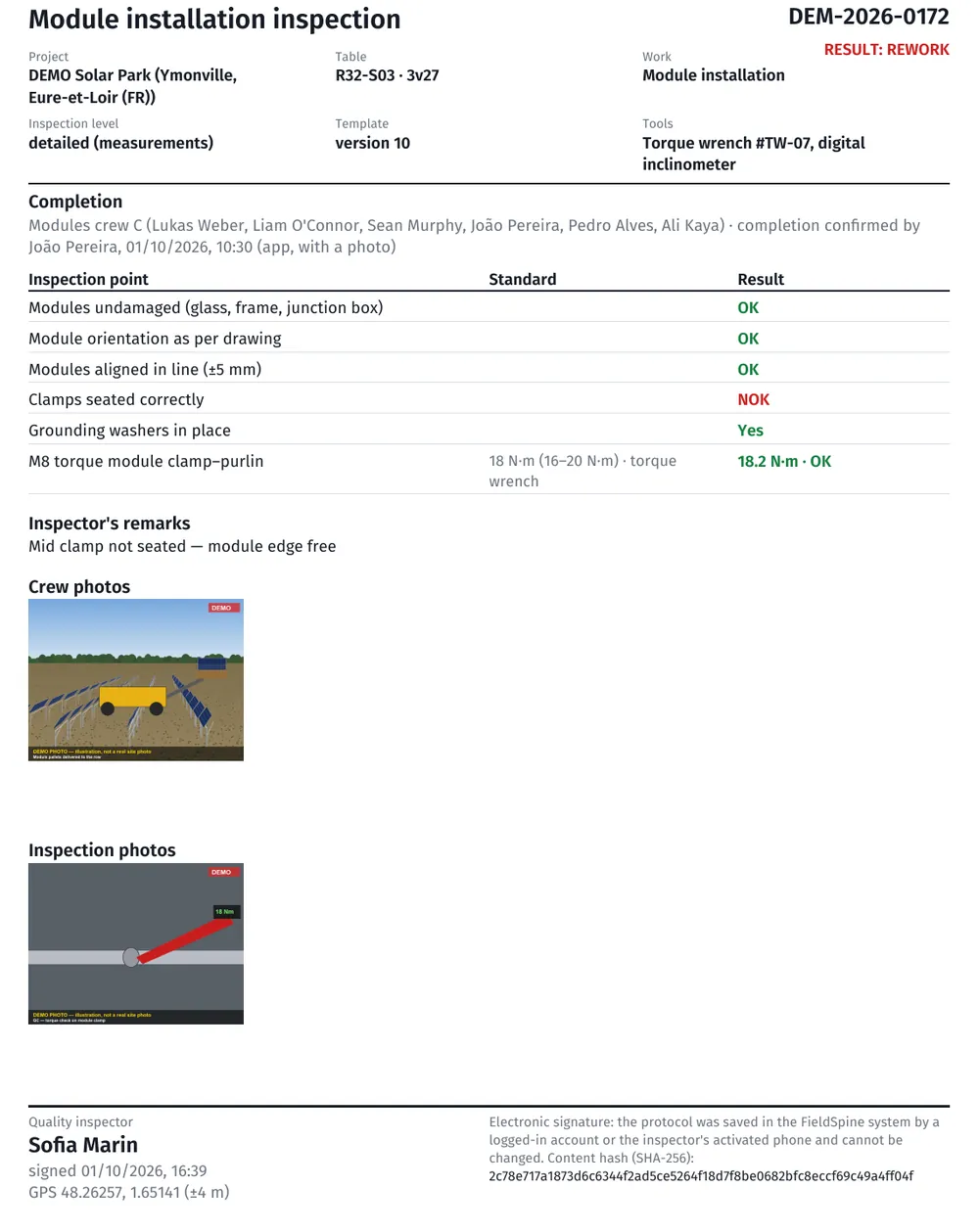
Inspection protocol PDF: checkpoints, OK/NOK, photos of crew and inspector, electronic signature
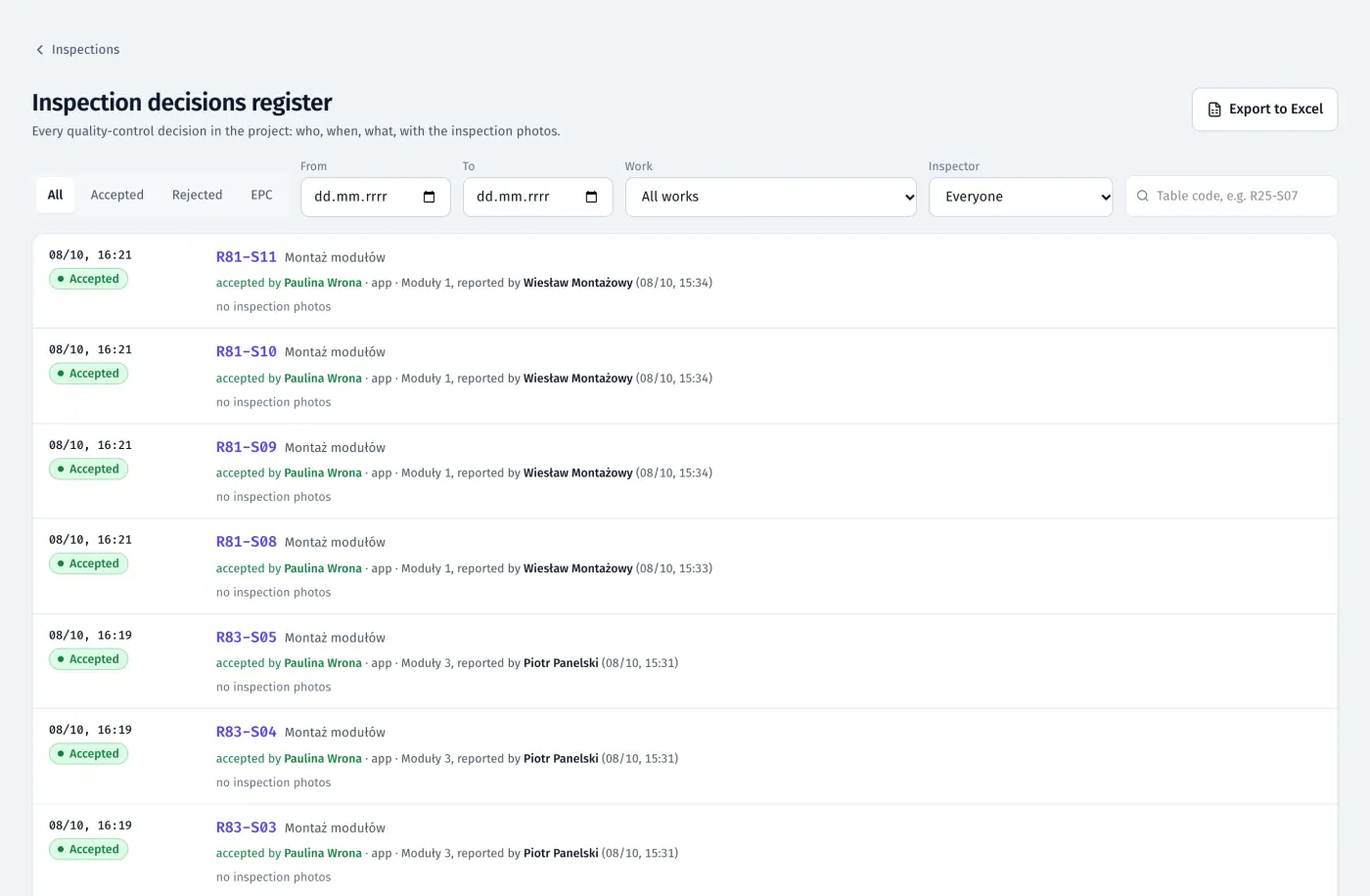
Inspection register: each QC decision with the table, work type, inspector and time
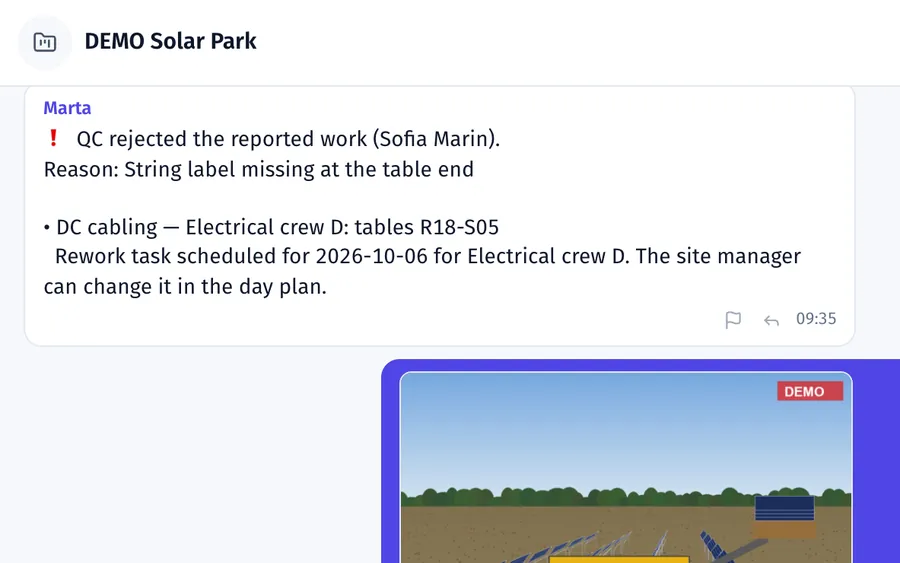
Rejection notice and scheduled rework in the site chat
Product screenshots · sample data from a demo project
See your own site in FieldSpine.
Send us your table layout file or describe your project. In a 30-minute demo we show you your site in FieldSpine. No commitment.