
For contractors and subcontractors
Get paid for the tables you built, with proof your EPC accepts.
Your sites in one place: day plans, crews, hours, quality and HSE. Each table records who built it and when, with a geotagged photo and the inspector’s decision, so you settle statements and disputes with evidence.
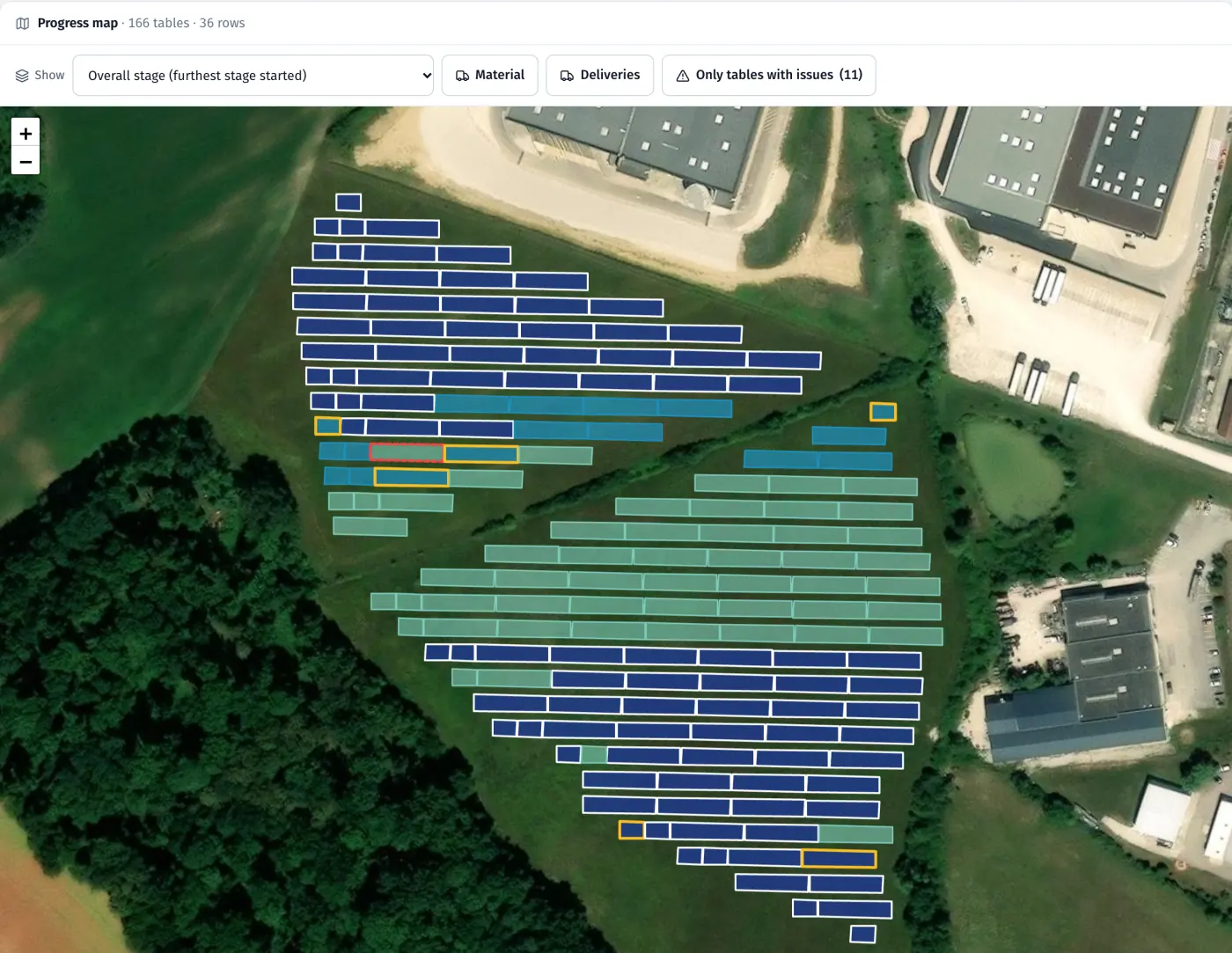
Product screenshots · sample data from a demo project
Sound familiar?
- “We built it, but the EPC disputes the quantity and all we have is a photo in a chat group.”
- “I find out a site is behind when the client calls.”
- “We take the hours from paper lists and whatever the foreman remembers.”
- “Our EPC wants us on their system, and I don’t want them seeing our people and rates.”
What you get
Progress on the map, table by table
Load the surveyor’s file, and each report and inspection changes the table’s colour on the map. Up to 10,000 tables per project.
See: Progress mapA full chain for billing
Each table keeps its history: the report with photo and GPS, the QC decision, any rework and the protocol. You export protocols as PDF and the register as Excel.
See: Quality and acceptanceHours you can defend
Start and finish from the app with location, a live attendance board and Excel export.
See: Time and attendanceWork with your EPC on your terms
Submit statements, receive rejections and notes, see the EPC plan for your scope. Names, headcount, hours and rates stay with you.
See: EPC panelMarta asks for the missing reports
Marta talks to your crews in their language, in chat and by voice, asks for missing reports and passes problems to the site manager.
See: Marta, AI assistantPeople, housing and vehicles in one place
Documents with deadlines, housing, trips home, days in each country, vehicles and machines, linked to the sites your crews work on.
See: People, housing and fleet
In the product
Table history: report with photo and GPS, NOK protocol, rework, acceptance with a protocol
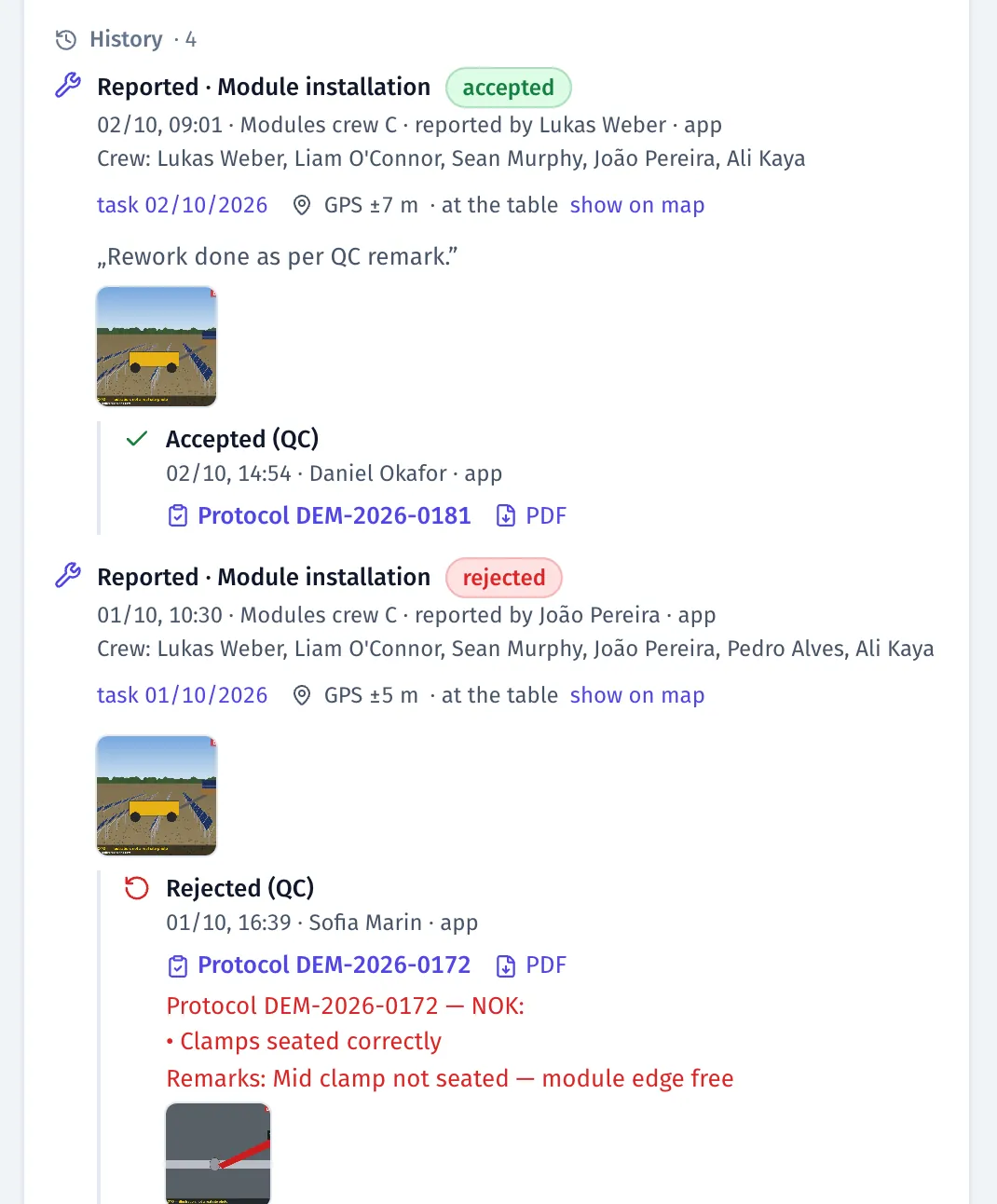
Product screenshots · sample data from a demo project
A day with FieldSpine
- Morning
The dashboard lists your sites with who is at work, what is planned and which issues are open.
- During the day
Crews report tables with photos; your QC accepts or rejects them, and the rework goes into tomorrow’s plan.
- Evening
The map shows progress from accepted work only, and the day’s hours are recorded with location.
- Every two weeks
Submit the statement from accepted quantities. The EPC decides table by table, so you don’t argue over a spreadsheet.
See your own site in FieldSpine.
Send us your table layout file or describe your project. In a 30-minute demo we show you your site in FieldSpine. No commitment.