
For EPCs and general contractors
Track each contractor by the work you accepted.
You get your own panel, linked to each contractor’s project. Accept or reject work table by table, follow the S-curve against the baseline and send the investor a weekly report without collecting spreadsheets.
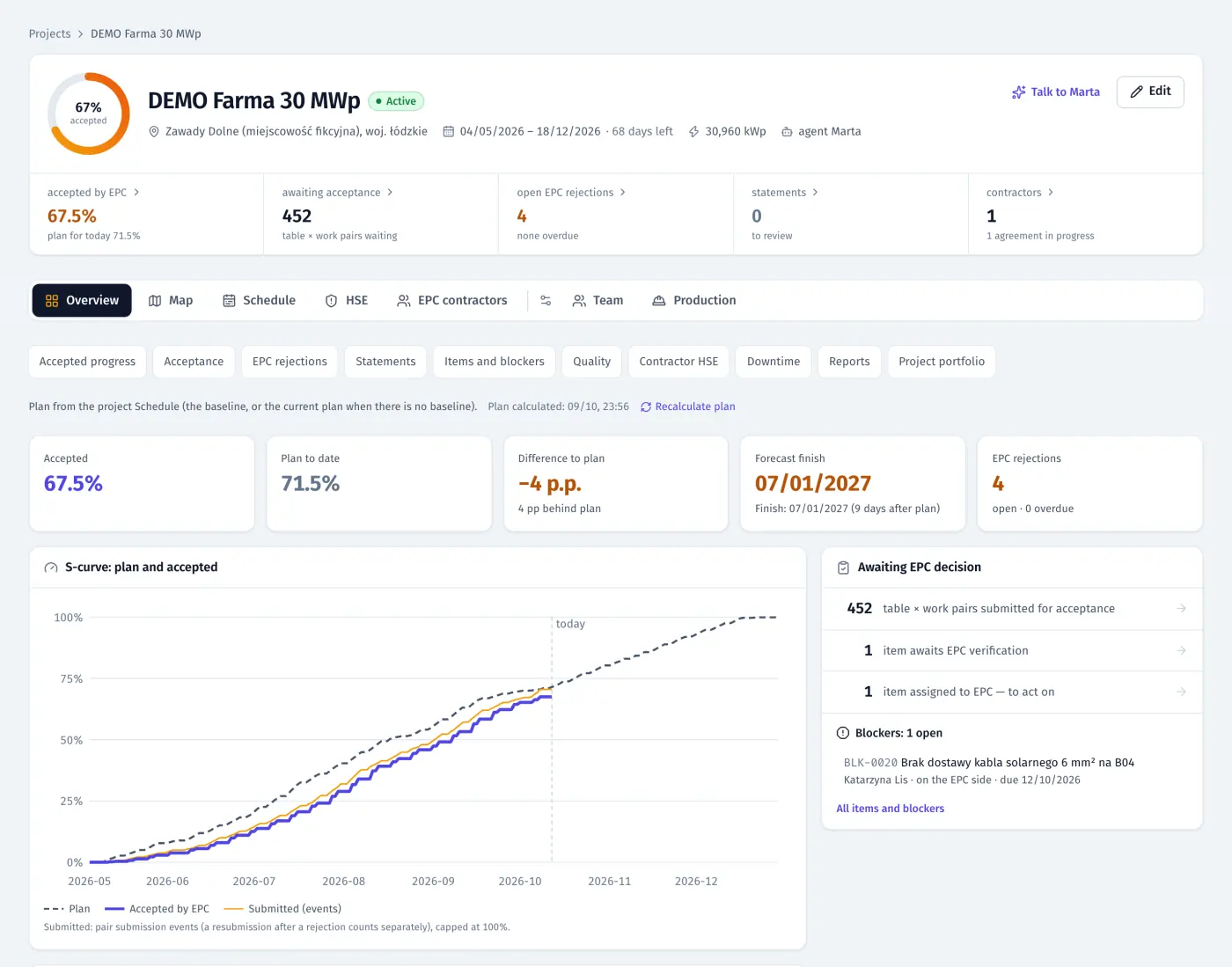
Product screenshots · sample data from a demo project
Sound familiar?
- “Each contractor sends progress in its own spreadsheet, and the numbers don’t match what I see on site.”
- “We reject work, and two weeks later nobody remembers who was supposed to fix it.”
- “Every two weeks we haggle over quantities in the statement.”
- “The investor wants a report every week, and it eats my Friday.”
What you get
Progress from accepted work
Progress by item and block counts only the work you accepted. You see the S-curve against the baseline, the forecast finish and how contractors compare.
See: EPC panelAcceptance and rejections with escalation
Accept or reject a single table or a whole block, in the panel or the EPC inspector app. FieldSpine escalates open rejections from E0 to E3, up to the boards of both companies.
See: Quality and acceptanceStatements from decisions
Quantities come from per-table decisions, with optional rates, versions, partial acceptance and a corrected v2. Export to XLSX and PDF.
See: EPC panelYour schedule, shared by scope
Import from MS Project or Primavera P6, set baselines, and share with each contractor only the activities in their scope.
See: ScheduleHSE across contractors
Incidents, near misses, actions, TF/TG and briefing coverage from each contractor, without names, medical details or hours.
See: HSEPortfolio and weekly report
All sites in one portfolio, highest risk first, and a weekly PDF report for the investor with the same numbers as the screens.
See: EPC panel
In the product
EPC panel: rejections with age, due date and escalation level E0–E3
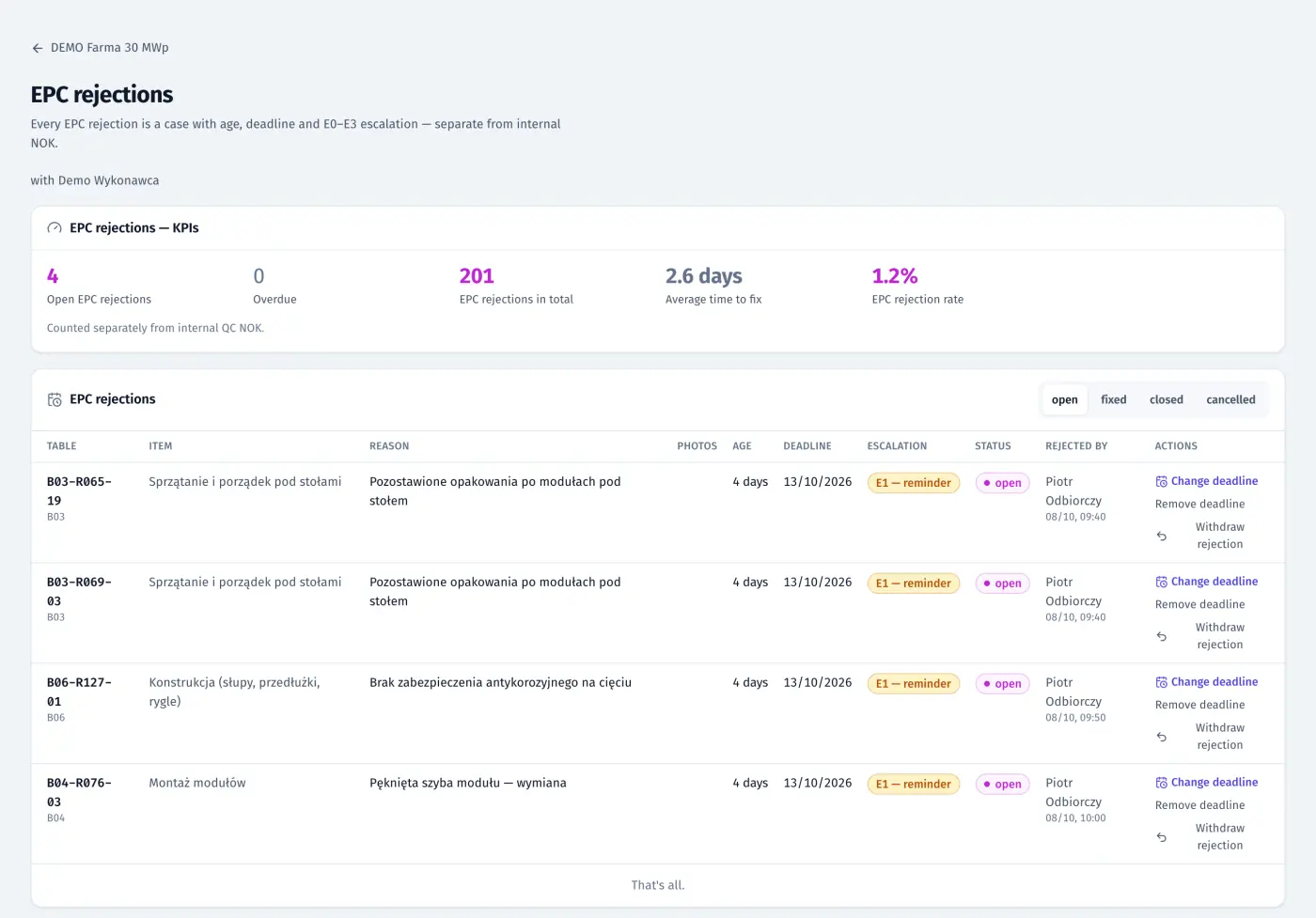
Product screenshots · sample data from a demo project
A day with FieldSpine
- Morning
Open the portfolio: sites at risk first, with rejections past due, open NCRs and blockers.
- On site
Your inspector accepts or rejects tables from the app. A rejection reaches the contractor’s site manager at once.
- Fortnightly
Review the statement: accept it, or reject specific tables. The contractor sees the decision and submits v2.
- Friday
Send the investor the weekly PDF report, built from the same data as your screens.
See your own site in FieldSpine.
Send us your table layout file or describe your project. In a 30-minute demo we show you your site in FieldSpine. No commitment.