
The EPC panel: accepted progress from each contractor.
As an EPC you work in your own organisation, linked to each contractor’s project. The link carries only facts about the work: tables, submissions, acceptance decisions, notes, and HSE without people. You decide on each table, and the report uses the same numbers as the screen.
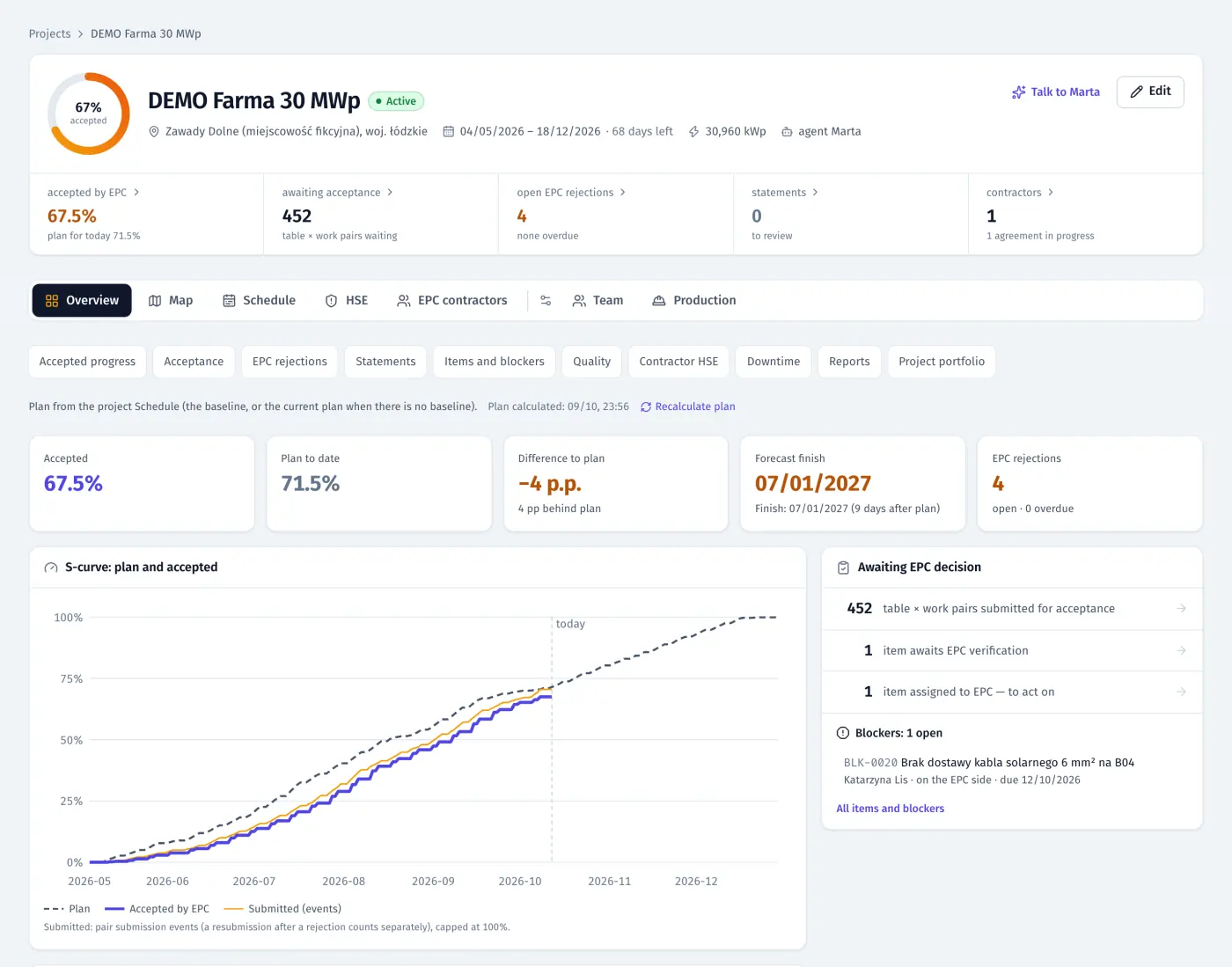
Product screenshots · sample data from a demo project
- 10,000 tables in a linked project map
- E0–E3 automatic escalation of rejections
- XLSX + PDF statements and weekly report
What it does
- 01
Linked projects, two-way invitations
Connect with a contractor by invitation code in either direction. The EPC gets a mirror project with the same map (up to 10,000 tables) and sets each contractor’s scope on it. An EPC can also set up the contractor’s organisation; the contractor activates the admin account by link.
- 02
Acceptance table by table
Your inspector accepts or rejects a single table or a whole block, in the panel or in the app. An EPC rejection has its own status and colour, separate from the contractor’s internal QC.
- 03
Escalation of open rejections
A rejection goes to the contractor’s site manager and board at once (E0). FieldSpine then sends reminders, escalates when the due date passes and finally alerts both boards (E3). It counts working days in the project’s time zone.
- 04
Statements built from decisions
Quantities come from per-table decisions, with optional rates. Versions, partial acceptance by pointing at rejected tables, a corrected v2, export to XLSX and PDF. Only people with rights to rates see the amounts.
- 05
Punch list, NCRs and blockers
Punch items, NCRs, HSE notes and blockers with owners and due dates. An open NCR holds acceptance of the table, and the fix goes into the contractor’s day plan.
- 06
Accepted progress, S-curve and forecast
Progress by item and block counts only accepted work. S-curve against the baseline, forecast finish, contractor comparison, quality and a map of states.
- 07
Portfolio, reports and notifications
All your sites in one portfolio, highest risk first. A weekly PDF report for the investor with the same numbers as the screens, a daily digest and a notifications screen.
- 08
What the EPC does not see
The contractor’s names, headcount, hours worked, rates, chats and internal notes stay with the contractor. An automated cross-organisation leak test covers each function on the shared layer.
- 09
The EPC’s own environment
An EPC organisation has its own menu: dashboard, contractors, inspectors, projects. Its administrator has no access to a contractor’s HR, housing, chats or day plans.
- 10
An app for EPC inspectors
Inspectors get their own mode in the FieldSpine app: the map, “To accept” and table cards. They accept, or reject with a photo and a due date, one by one or in bulk, also offline.
- 11
Weekly report from the contractor
A contractor can send you a weekly report with the sections it chooses (progress, map, schedule, QC, HSE, downtime, photos) as PDF and Excel, either automatically or after review.
In the product
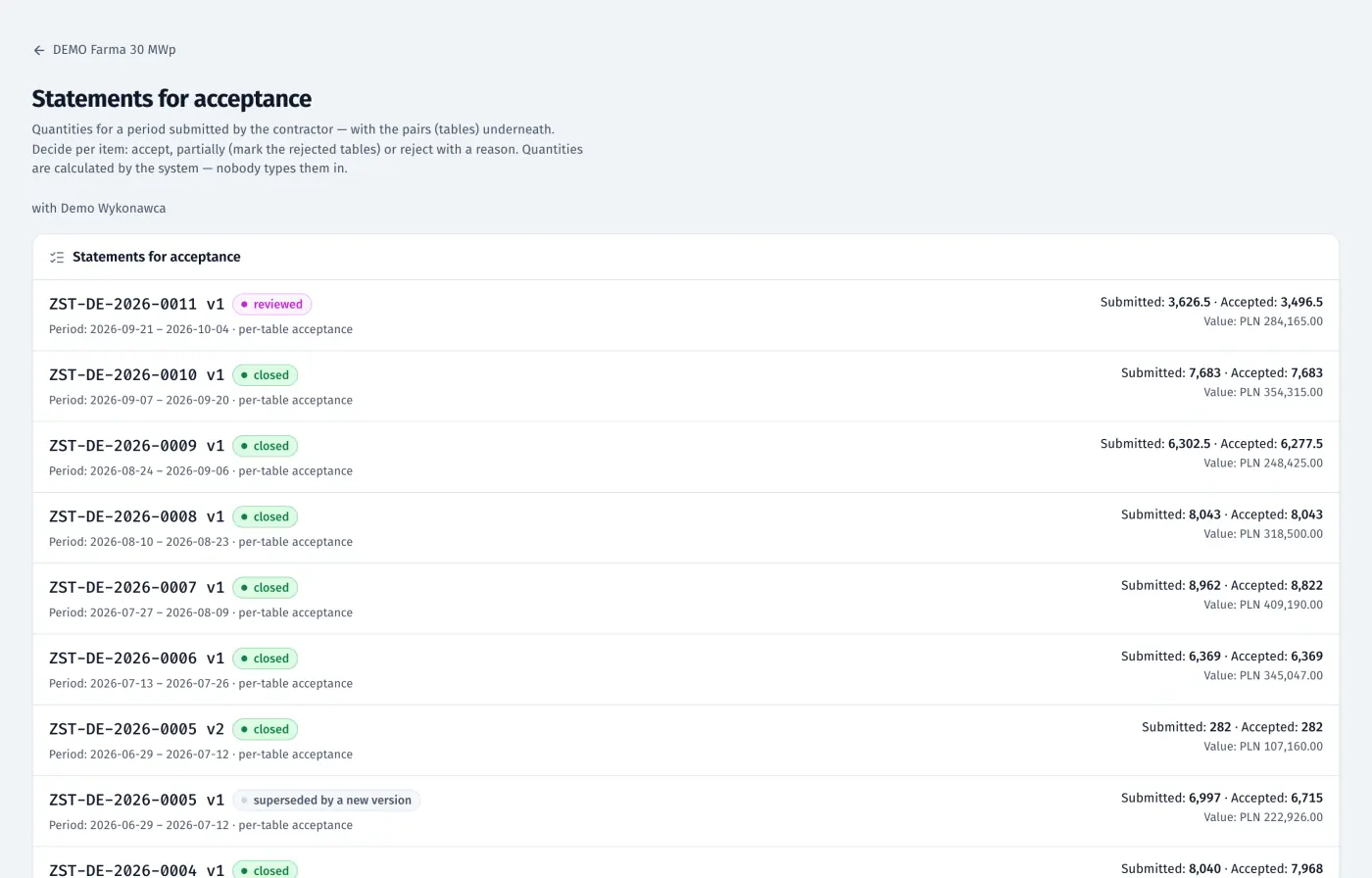
EPC panel: fortnightly statements for acceptance with versions, statuses and quantities
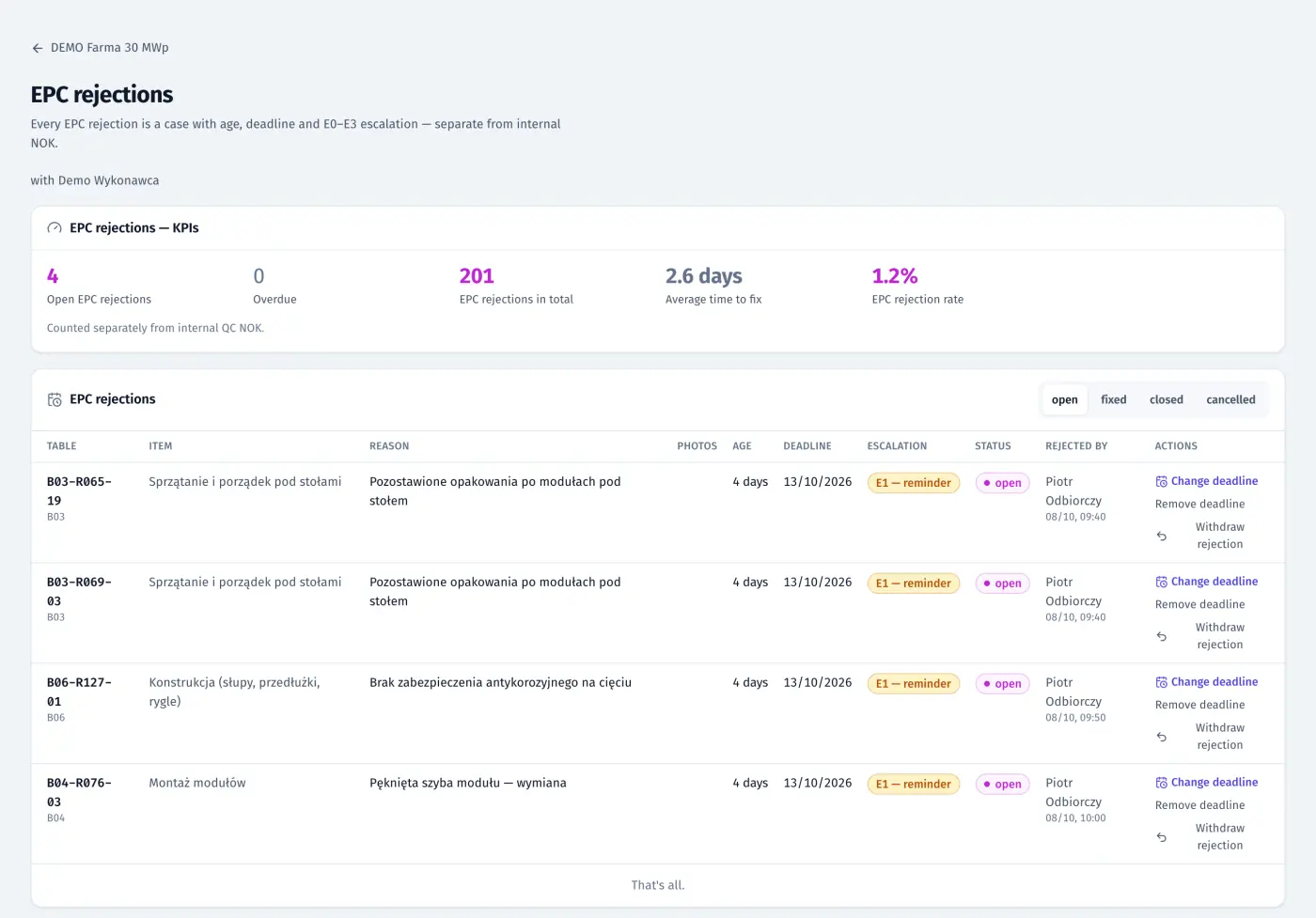
EPC panel: rejections with age, due date and escalation level E0–E3
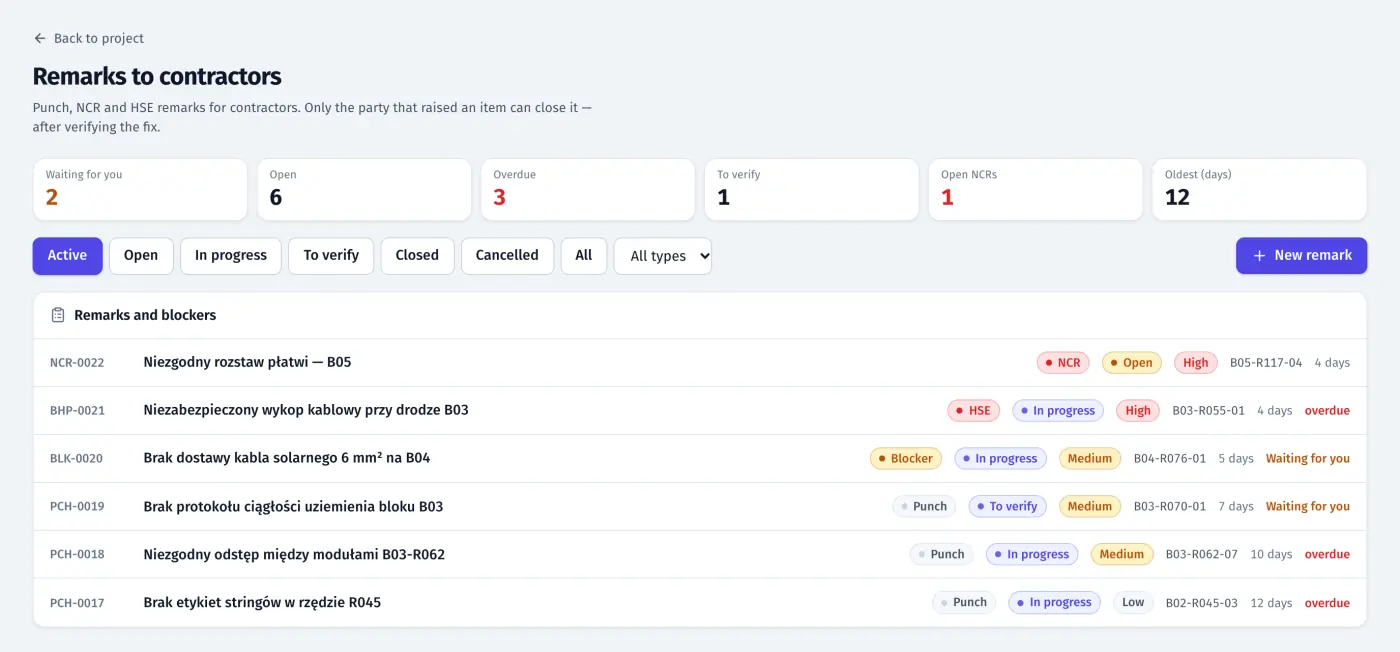
EPC panel: punch items, NCRs, HSE notes and blockers with priority, table and due date
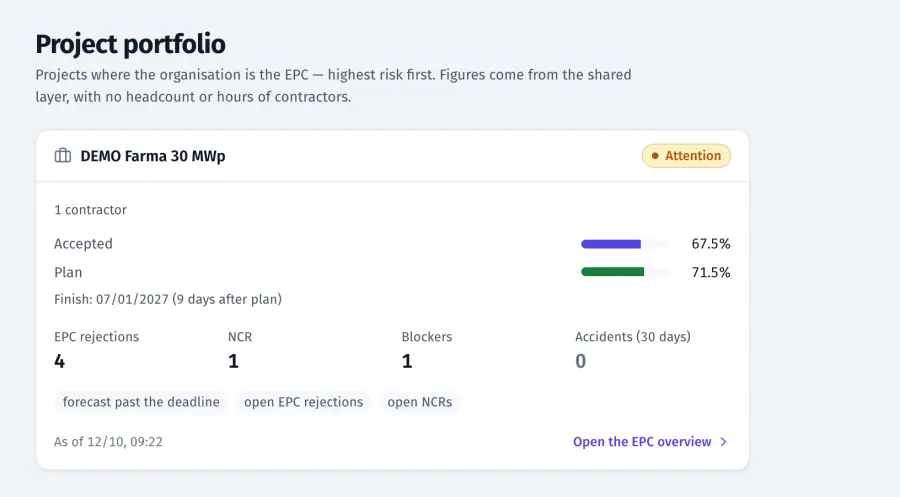
EPC panel: portfolio card of a site with accepted vs plan, forecast, rejections, NCRs and blockers
Product screenshots · sample data from a demo project
See your own site in FieldSpine.
Send us your table layout file or describe your project. In a 30-minute demo we show you your site in FieldSpine. No commitment.