
Plan the day in minutes. Know what’s happening without ringing round.
Assign crews, work and places on the map with suggestions from the schedule; the map offers only places where the earlier stage is done. On your laptop or in the app you see who started work and where, and you get blockers as soon as someone reports them.
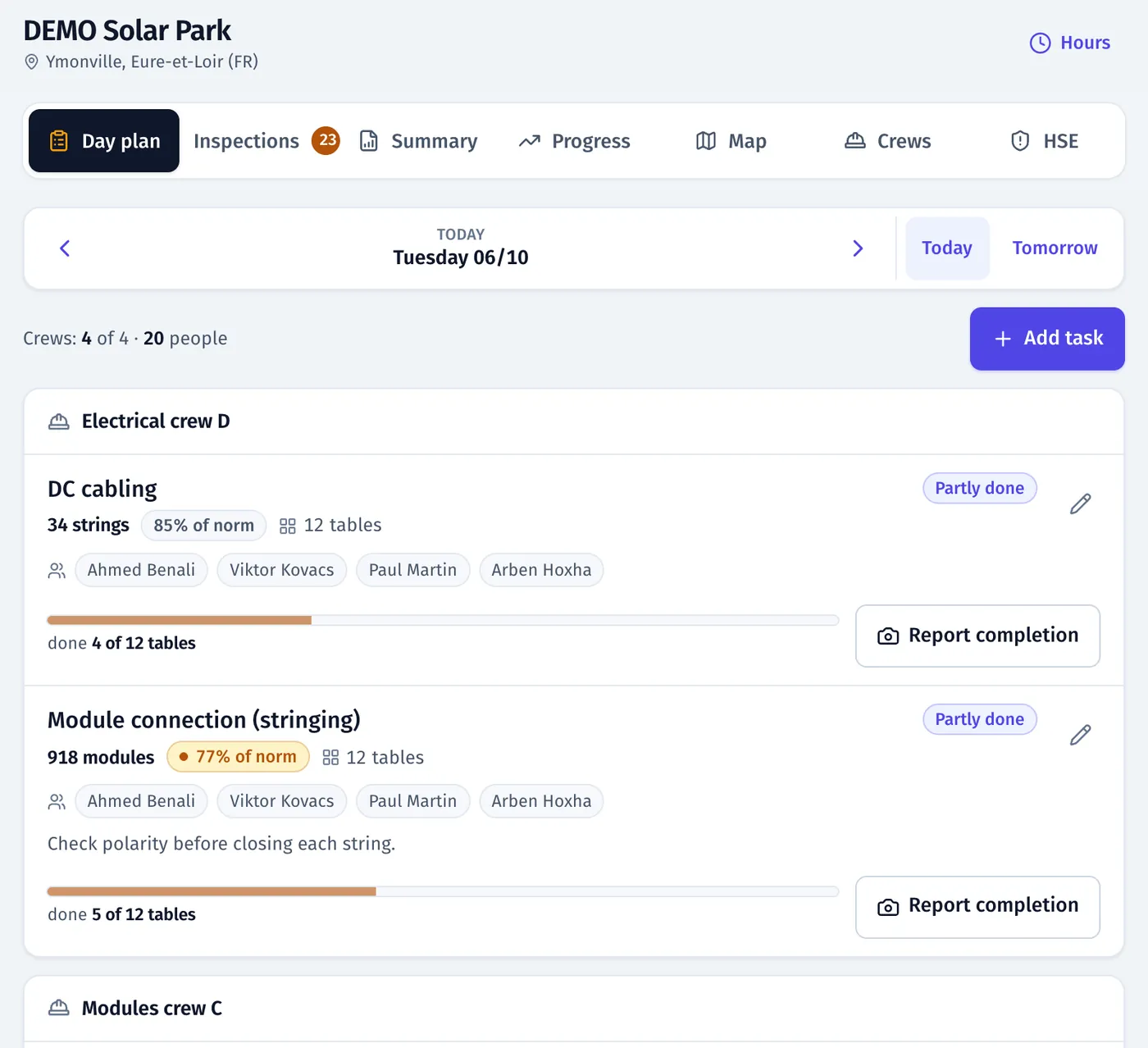
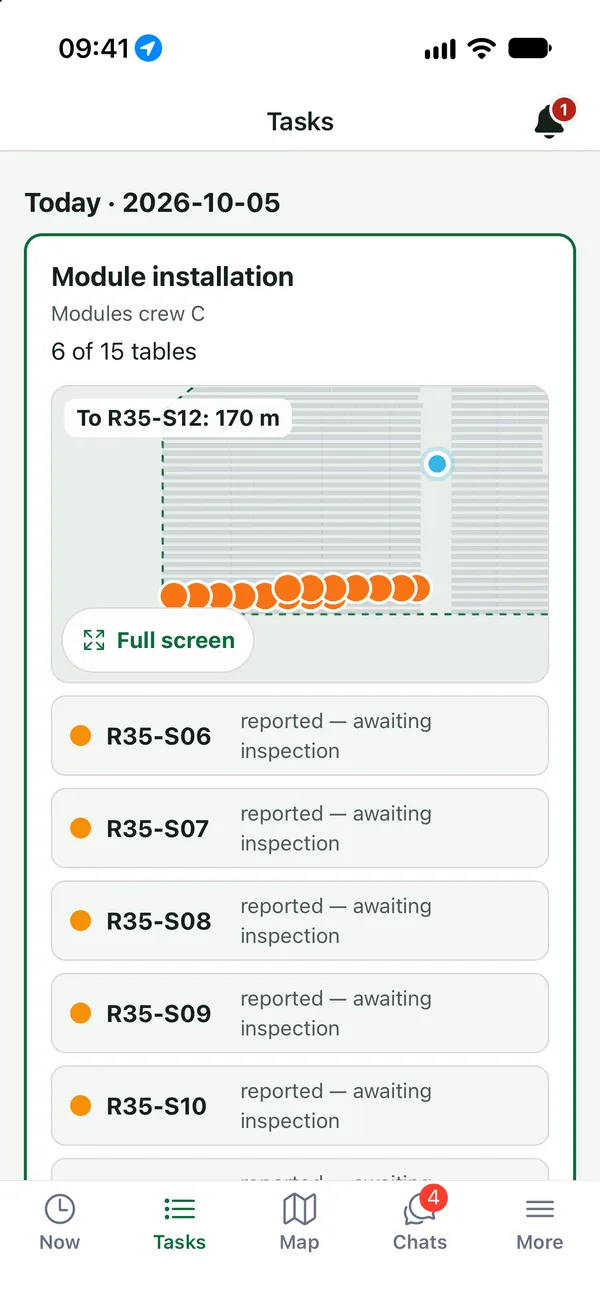
Product screenshots · sample data from a demo project
Sound familiar?
- “I spend the morning on the phone telling crews which rows to do.”
- “I learn about a missing delivery when the crew has been standing around for two hours.”
- “The schedule is in a file nobody on site opens.”
- “Rework after inspection waits until someone remembers it.”
What you get
Day plan from the schedule
“From schedule” suggestions fill in the work type and tables for a day task, in the panel and in the app.
See: ScheduleOnly places that are ready
Pick the work and the map shows only where it can start. Tap a blocked table or trench segment to see why. Stages block work until the earlier step is done or accepted.
See: Planning and stagesPlan and map side by side
On a laptop: crews’ tasks on the left, the day’s map on the right, the task form in a side panel, crew load against the norm and keyboard shortcuts.
See: Planning and stagesWho is at work, live
An attendance board for the whole team, refreshed live, with start and finish times and location.
See: Time and attendanceThe site in your pocket
The app’s “Site” tab: the day plan, the map, attendance and issues, also with no signal.
See: Mobile appMarta collects the problems
Marta asks the crews about blockers and missing reports, and brings them to you.
See: Marta, AI assistant
In the product
Site manager’s day plan on a laptop: crew tasks with load against the norm next to the map of the day
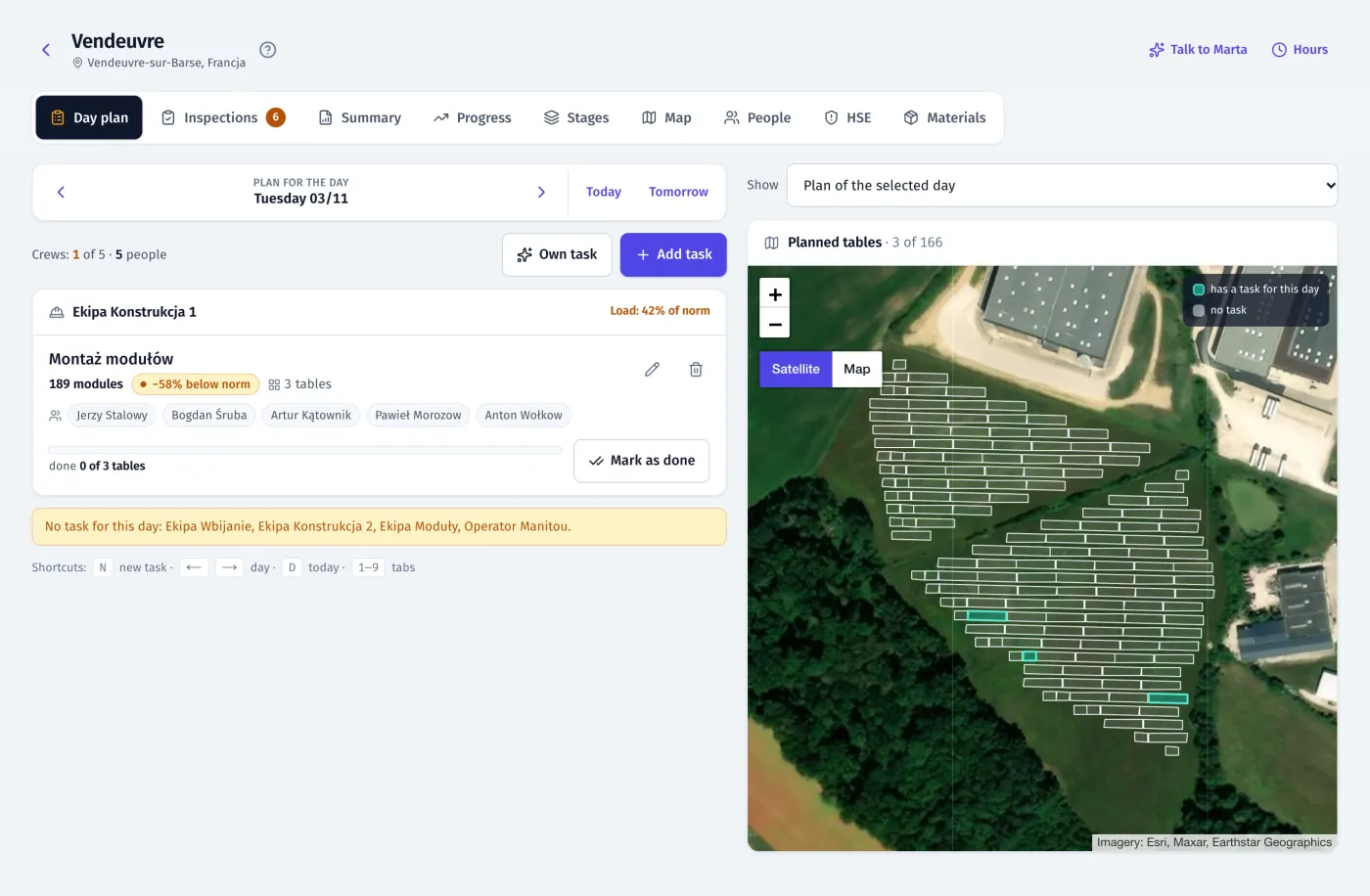
Product screenshots · sample data from a demo project
A day with FieldSpine
- 7:00
Check the look-ahead: which blocks are ready, which are blocked, what is critical.
- 7:15
Build the day plan from schedule suggestions on a map of the places that are ready. Crews get their tasks on their phones.
- During the day
Attendance fills in live, and reports and issues arrive from the site as they happen.
- Evening
The rework is already in tomorrow’s plan, and progress is on the map and in the schedule.
See your own site in FieldSpine.
Send us your table layout file or describe your project. In a 30-minute demo we show you your site in FieldSpine. No commitment.