
Plan only the work your site is ready for today.
Set crews and the order of work, and FieldSpine builds the schedule. Stages hold back work whose earlier step isn’t done or accepted, the map shows only the places ready for the chosen work, and you see the crew’s load against its norm before you save the task.
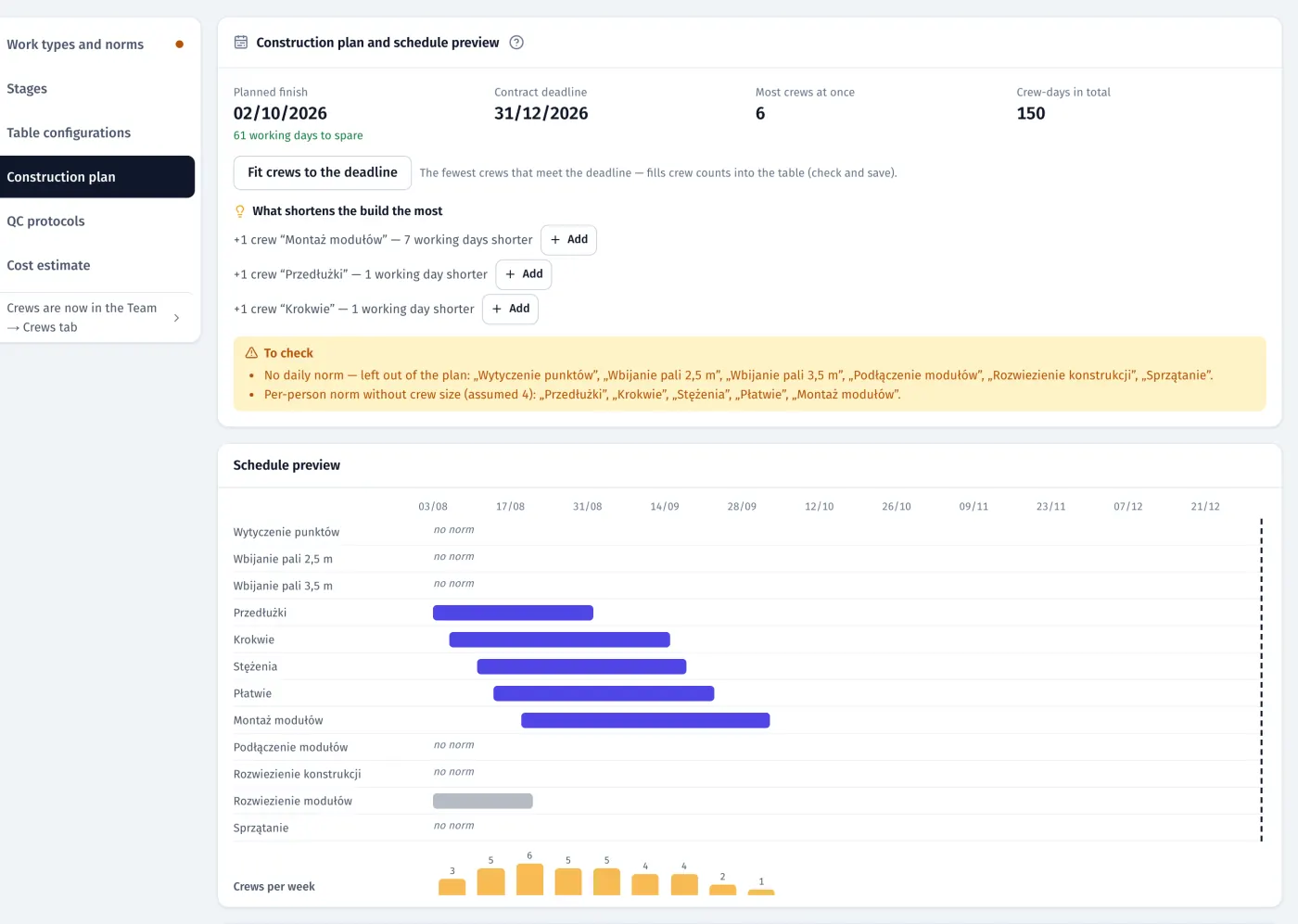
Product screenshots · sample data from a demo project
- Live schedule preview while you plan
- 60 stages per project
- 80–120% crew load band against the norm
What it does
- 01
From construction plan to schedule
For each work: how many crews, people per crew, “not earlier than” and what it follows. FieldSpine calculates from your daily norms and working calendar, shows the finish against the contract deadline as you type, suggests which extra crew shortens the build most, and creates the schedule activities in one click.
- 02
Stages: what blocks what
Arrange stages by drag and drop. Each stage shows what it waits for and what it unlocks. Parallel work paths (fence, trenches, tables, inverters) run side by side, so one crew can build the fence while another digs.
- 03
Stages with acceptance
Mark a stage as needing QC or EPC acceptance. Nobody can plan or report the next step on that table, trench segment or device until it is accepted, and the server enforces this.
- 04
A map of places ready for the work
Pick a work type and the map shows only where it can start. Tap a blocked place to see why: “first: setting-out”, already reported, already accepted. Select by table, whole row, segment, from–to, whole route, or by drawing.
- 05
Crew load before you save
As you select places, a bar shows the selection as a percentage of the crew’s daily norm, together with its other tasks that day. Above 120% it turns red.
- 06
Built for the site manager’s laptop
A full-width day plan: the crews’ tasks on the left, the day’s map on the right, the task form in a side panel, and keyboard shortcuts: N new task, ←/→ day, D today, 1–9 tabs.
- 07
Recording work after the fact
If a crew missed a report, mark the task as done for today or a past day, with who, when, the hours and a reason. It enters progress and the QC queue like any report, flagged as a manual entry, and FieldSpine notifies the board at once.
- 08
Tasks without places
Unloading pallets, piles under inverters not yet on the map, the site manager’s own tasks: you plan them with a quantity instead of places.
In the product
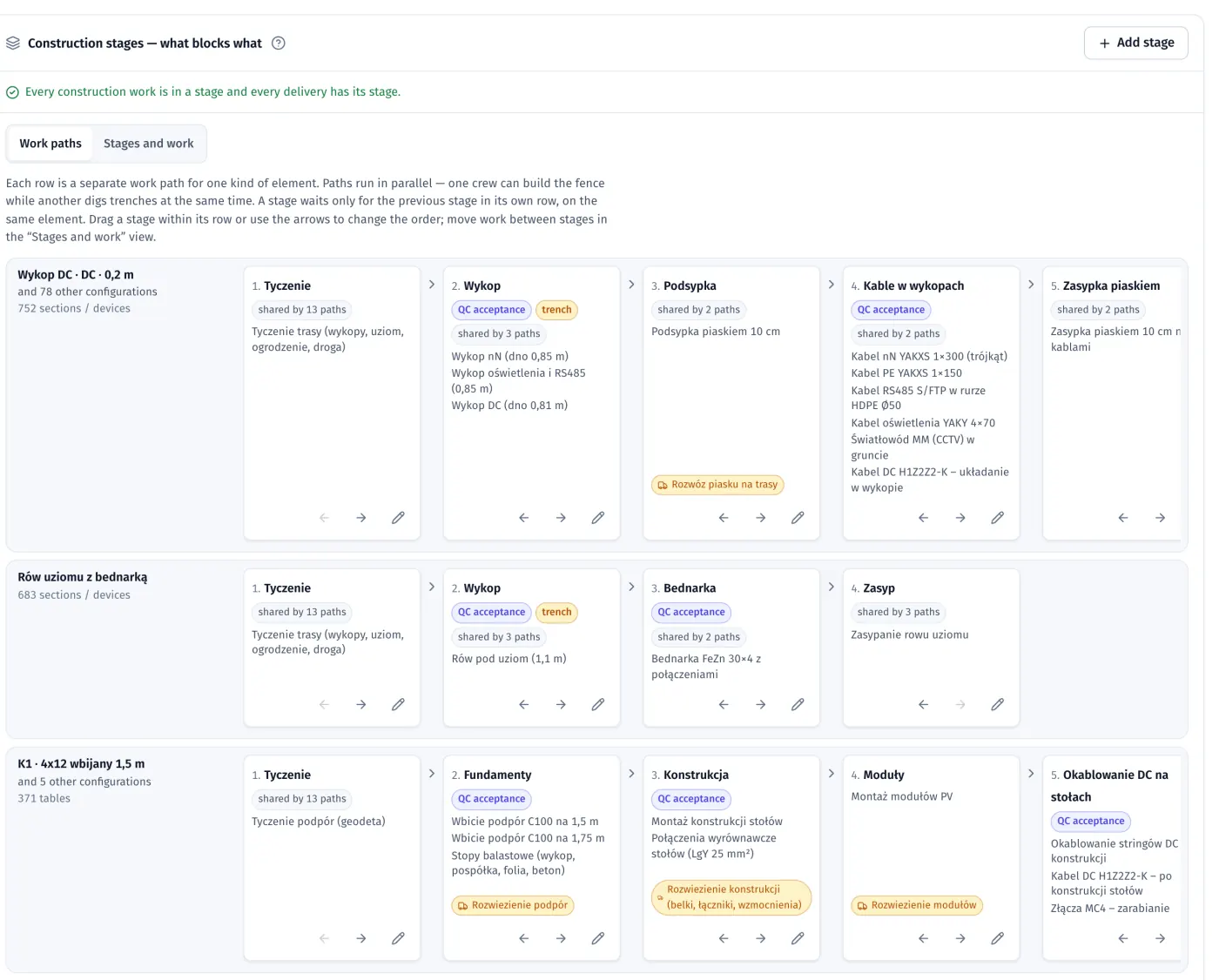
Stage board, “Work paths” view: parallel paths for DC trenches, earthing and tables, stages with QC acceptance and the deliveries before them
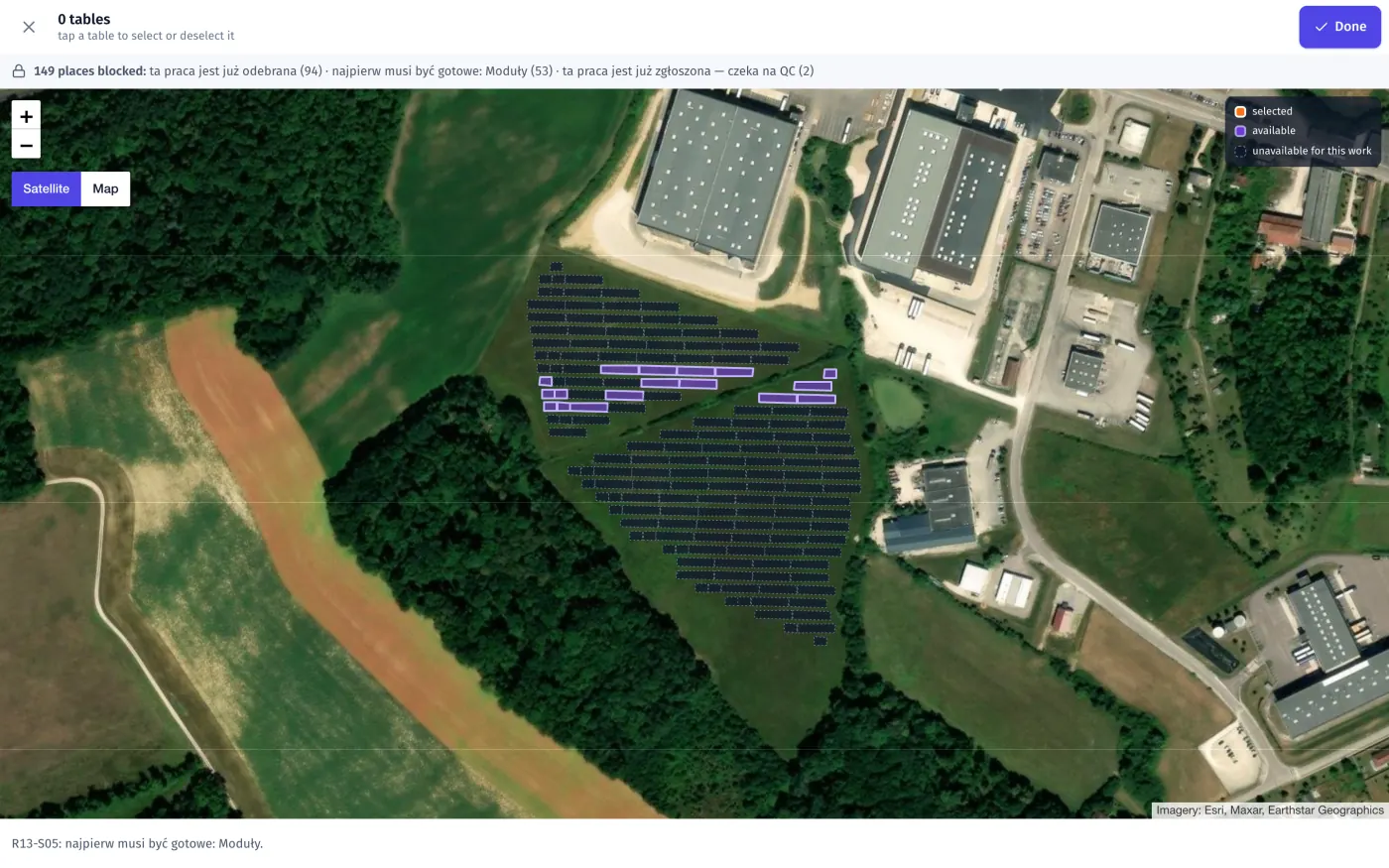
Choosing places for a task: you can pick only tables ready for the chosen work, and each blocked place shows why
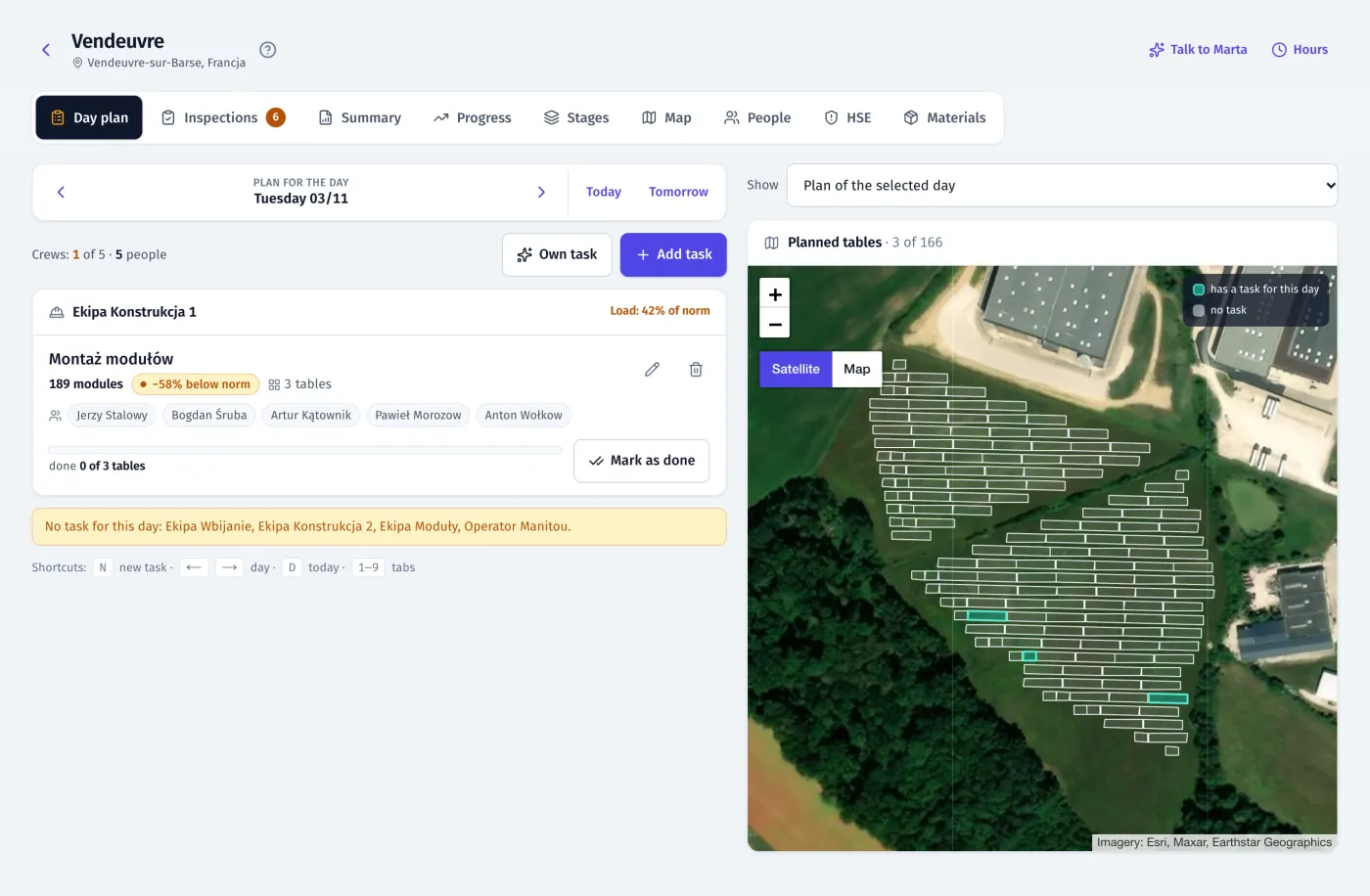
Site manager’s day plan on a laptop: crew tasks with load against the norm next to the map of the day
Product screenshots · sample data from a demo project
Who uses it
See your own site in FieldSpine.
Send us your table layout file or describe your project. In a 30-minute demo we show you your site in FieldSpine. No commitment.